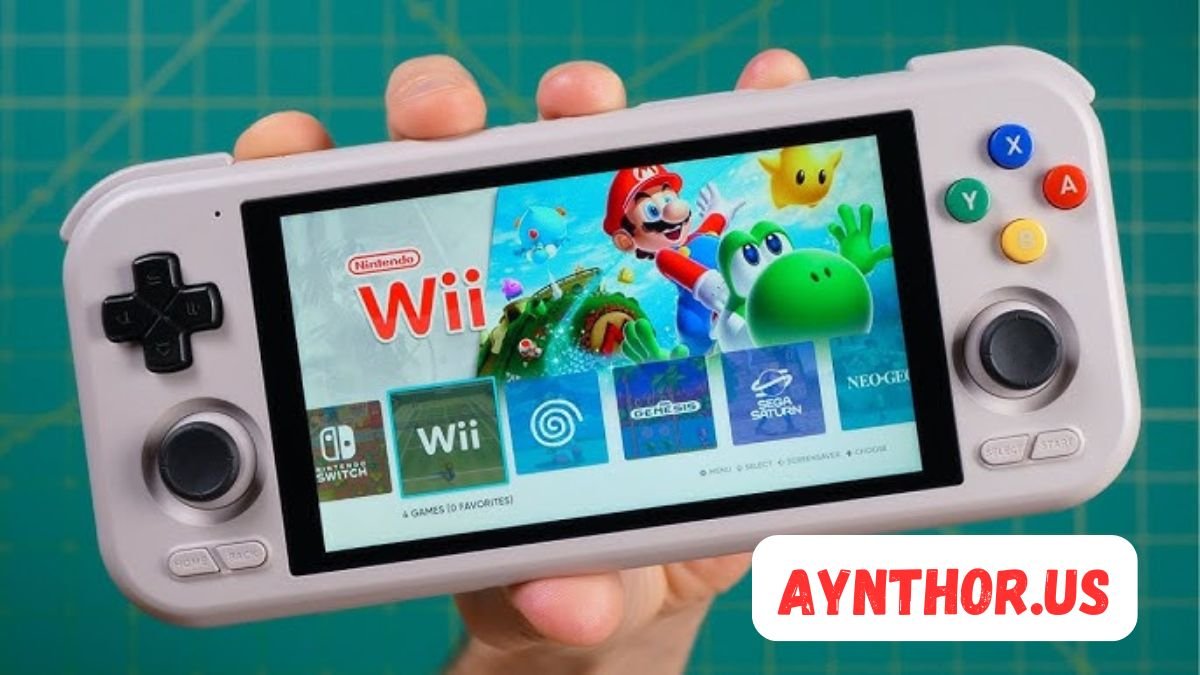
ES-DE: The Complete Guide to the EmulationStation Desktop Edition Frontend
Introduction
If you enjoy retro gaming, chances are you’ve heard someone mention ES-DE. Over the last few years, this frontend has become one of the most popular ways to organize, browse, and launch retro games from a single, beautiful interface. Whether you have a small collection of classic games or thousands of ROMs spread across different consoles, ES-DE makes everything easier to manage.
Unlike traditional emulators that focus only on playing games, ES-DE focuses on the overall experience. It gives your collection a modern look with artwork, videos, game descriptions, ratings, release dates, and organized menus. Instead of opening individual emulators every time you want to play, you simply browse your library, choose a game, and start playing.
The popularity of ES-DE continues to grow because it supports a wide variety of operating systems and works with many emulator programs. It is highly customizable, easy to navigate with both controllers and keyboards, and regularly receives updates that improve performance and compatibility. Whether you’re new to retro gaming or an experienced collector, ES-DE provides a polished experience that feels professional without being difficult to learn.
In this guide, you’ll discover everything you need to know about ES-DE, including how it works, why people love it, how to install it, customize it, manage ROM libraries, scrape metadata, improve performance, and get the most from your retro gaming setup.
What Is ES-DE?
ES-DE stands for EmulationStation Desktop Edition. It is an open-source-inspired desktop frontend designed specifically for organizing and launching retro games through different emulators. Rather than replacing your emulators, ES-DE works alongside them, acting as a central hub that brings all your games together in one attractive interface.
Many people confuse ES-DE with an emulator, but the two are completely different. Emulators actually run the games, while ES-DE simply manages your collection and launches the correct emulator whenever you select a title. This separation makes it flexible because you can use different emulators for different systems while maintaining a single, consistent gaming library.
One of the biggest advantages of ES-DE is that it supports dozens of gaming systems. From NES, SNES, Sega Genesis, Game Boy, PlayStation, Nintendo 64, Dreamcast, PSP, and many others, you can organize nearly your entire retro collection within one application. This eliminates the hassle of switching between different programs every time you want to play a different console.
Another reason gamers appreciate ES-DE is its attractive presentation. Each game can include cover art, gameplay screenshots, videos, release information, developer details, genres, player count, ratings, and descriptions. Instead of scrolling through plain filenames, you’re browsing something that resembles a professionally designed digital game collection.
Why ES-DE Has Become So Popular

Retro gaming has exploded in popularity over the last decade. Thousands of gamers are rediscovering classic titles while younger players are exploring legendary games for the first time. As collections grow larger, organizing them becomes increasingly challenging. ES-DE solves this problem by turning an ordinary folder full of ROMs into an elegant gaming library.
Another factor behind the popularity of ES-DE is its clean user interface. Navigation feels smooth whether you’re using a keyboard, mouse, or game controller. Menus are simple to understand, making the software approachable even for beginners who have never used a frontend before.
Customization is another major reason people choose ES-DE. Users can install different themes that dramatically change the appearance of the interface. Some themes mimic modern gaming consoles, while others recreate the look of classic arcade cabinets or vintage operating systems. This flexibility allows everyone to personalize their setup according to their own style.
The community surrounding ES-DE also contributes to its success. Developers continuously improve the frontend, while community members create themes, artwork packs, configuration guides, and troubleshooting resources. This active ecosystem ensures that users rarely struggle to find help when they encounter questions or want to expand their setup.
Key Features of ES-DE
One of the strongest aspects of ES-DE is its feature-rich design. Although it appears simple on the surface, it includes numerous tools that significantly improve the retro gaming experience.
The frontend automatically scans your ROM folders and organizes supported systems into individual categories. Instead of manually creating menus for every console, ES-DE performs much of the work automatically after your directory structure is configured correctly. This saves considerable time when importing large collections.
Metadata scraping is another standout feature. ES-DE can download game titles, descriptions, release years, publishers, genres, ratings, screenshots, box art, logos, and gameplay videos from supported databases. The result is a library that looks far more professional than a basic folder of ROM files.
Favorites management allows users to create personalized collections containing their most-played games. Rather than searching through hundreds or thousands of titles, favorite games remain accessible from a dedicated menu.
Custom collections offer another level of organization. You can group games by genre, franchise, developer, multiplayer support, personal preference, or any other category that makes sense for your collection. This flexibility is particularly useful for large libraries.
ES-DE also supports controller navigation, multiple themes, video previews, screensavers, custom launch commands, game manuals, multilingual interfaces, and detailed configuration options that satisfy both beginners and advanced users.
Systems Supported by ES-DE
One reason ES-DE appeals to so many retro gamers is its extensive system compatibility. Instead of focusing on only a few classic consoles, it supports a massive variety of gaming platforms.
Nintendo enthusiasts can organize collections from the NES, SNES, Nintendo 64, GameCube, Wii, Game Boy, Game Boy Color, Game Boy Advance, Nintendo DS, and several other systems. This creates a unified Nintendo library that spans decades of gaming history.
Sega fans receive equally broad support. Consoles including the Master System, Genesis, Mega Drive, Game Gear, Sega CD, Saturn, Dreamcast, and various arcade platforms can all be integrated into one interface, making it simple to switch between different generations.
Sony gamers can manage PlayStation, PlayStation 2, PlayStation Portable, and other supported systems depending on the emulators installed. Since ES-DE launches external emulators, compatibility largely depends on the emulator selected for each console.
Beyond major manufacturers, ES-DE also supports numerous arcade platforms, DOS games, Commodore systems, Atari consoles, Neo Geo, PC Engine, MSX, Amiga, ScummVM adventures, and many additional platforms. This broad compatibility makes it one of the most versatile retro gaming frontends available today.
Installing ES-DE
Installing ES-DE is generally straightforward, especially if you already have your emulators and ROM collection prepared. The installation process differs slightly depending on your operating system, but the overall workflow remains similar.
After downloading the appropriate version for your platform, installation typically involves running the installer or extracting the application to your preferred directory. Once launched for the first time, ES-DE guides users through an initial configuration process that includes selecting ROM directories and setting basic preferences.
The next step involves configuring emulator paths. Since ES-DE is only a frontend, it needs to know which emulator should launch games for each supported console. Fortunately, many popular emulator configurations are well documented, making setup easier than many beginners expect.
After configuration, ES-DE scans your game folders and creates a library based on the detected systems. Depending on the size of your collection, this process may take anywhere from a few seconds to several minutes.
Once everything is configured correctly, you’ll have a fully functional retro gaming frontend capable of launching games from dozens of classic systems through one consistent interface.
Understanding the ES-DE Interface
The interface of ES-DE is designed with simplicity in mind. Upon launching the application, users are greeted with a list of gaming systems rather than a confusing collection of settings or technical options.
Each console category displays its own artwork and theme elements. Selecting a console opens the complete game library for that platform. The interface is responsive and works smoothly whether you’re navigating with arrow keys, a controller, or a mouse.
Individual game pages provide considerably more information than simple filenames. Cover art appears alongside game descriptions, release dates, genres, developers, publishers, ratings, player counts, and other metadata. If video previews are available, users can watch gameplay before launching the game.
The settings menu is organized logically, allowing users to configure themes, scraping options, audio settings, controller preferences, user interface behavior, screensavers, and emulator commands without feeling overwhelmed.
Despite offering extensive customization, the interface remains approachable. Beginners can start using ES-DE almost immediately, while experienced users can spend hours fine-tuning every aspect of the frontend to match their preferences.
Organizing Your ROM Collection for ES-DE
A properly organized ROM library makes ES-DE significantly easier to use. Although the frontend supports many different systems, maintaining a consistent folder structure helps ensure accurate game detection and smoother navigation.
Most users create a main ROM directory containing individual folders for each supported console. For example, one folder might contain Super Nintendo games while another stores Sega Genesis titles. This structure allows ES-DE to automatically recognize systems during library scans.
Keeping filenames clean also improves metadata accuracy. ROM files with unnecessary symbols, duplicate region tags, or inconsistent naming conventions may occasionally confuse metadata databases. Renaming files to recognizable titles often produces better scraping results.
Many experienced collectors also separate translated games, hacks, prototypes, homebrew titles, and official releases into different collections. While this isn’t required, it helps maintain a clean library as collections continue growing over time.
Regularly reviewing your ROM folders for duplicates, corrupted files, and incomplete downloads also contributes to a smoother experience. A well-maintained library not only looks better inside ES-DE but also reduces troubleshooting later when launching games.
Metadata Scraping in ES-DE
One of the features that truly transforms a basic ROM collection into an attractive gaming library is metadata scraping. Instead of seeing a simple list of filenames, ES-DE can display detailed information about every game. This includes the official title, release year, developer, publisher, genre, player count, ratings, descriptions, cover art, screenshots, logos, and even gameplay videos when available.
The scraping process works by comparing your ROM filenames with online game databases. When a match is found, ES-DE downloads the available information and stores it locally. The next time you browse your collection, everything appears beautifully organized, making the experience feel much closer to browsing a modern digital game store than opening a folder full of ROM files.
Although automated scraping is highly accurate, some games may require manual confirmation. This is especially true for fan translations, homebrew releases, ROM hacks, or games with unusual filenames. Taking a few extra moments to verify these entries helps maintain a clean and professional-looking library.
Many users choose to scrape only the artwork at first, while others download every available piece of metadata. If you have enough storage space, downloading complete metadata packages creates one of the best browsing experiences possible. Rich game descriptions and preview videos make discovering forgotten classics much more enjoyable.
Choosing the Right Theme for ES-DE
Themes are one of the biggest reasons people enjoy using ES-DE. They completely change the appearance of the frontend without affecting its functionality. Whether you prefer a modern design inspired by current gaming consoles or a nostalgic layout that resembles classic arcade machines, there is likely a theme that matches your style.
Some themes focus on simplicity by highlighting game artwork with clean menus and subtle animations. Others include bold colors, animated backgrounds, detailed system logos, and highly customized layouts that make every platform feel unique. Choosing the right theme often comes down to personal preference rather than technical advantages.
Performance should also be considered when selecting a theme. Highly detailed themes containing large background images and video animations may require slightly more system resources. On powerful desktop computers this usually isn’t noticeable, but lower-end systems may benefit from lightweight themes that prioritize speed over visual effects.
Trying multiple themes is part of the fun. Since ES-DE makes switching between themes relatively simple, users often experiment until they find one that perfectly complements their gaming collection. Many enthusiasts even change themes periodically just to keep the interface feeling fresh.
Emulator Integration

Since ES-DE is a frontend rather than an emulator, it relies on external emulator software to actually play games. This separation gives users complete freedom to choose the emulator that works best for each gaming system.
For example, one user might prefer one emulator for Super Nintendo games while selecting a completely different emulator for PlayStation titles. ES-DE simply launches whichever emulator has been configured for the selected platform, allowing each console to benefit from specialized software.
This flexibility is one of the biggest strengths of ES-DE. Rather than forcing users into a single emulator solution, it supports nearly any emulator that accepts command-line launching. As emulator technology continues improving, users can upgrade individual emulators without replacing their frontend.
Advanced users often configure multiple emulators for the same console depending on specific needs. One emulator may provide better accuracy while another focuses on performance or graphical enhancements. ES-DE makes it possible to switch between them through custom launch commands and configuration options.
Controller Support
Retro gaming feels much more authentic with a controller, and ES-DE offers excellent controller compatibility. During the initial setup process, users can map buttons for navigation, menu selection, and other interface controls using nearly any modern game controller.
Popular controllers from Xbox, PlayStation, Nintendo Switch, and many third-party manufacturers work well with ES-DE. USB controllers are usually recognized immediately, while Bluetooth controllers can be connected through the operating system before launching the frontend.
Once configured, navigating ES-DE becomes extremely comfortable. You can browse systems, launch games, access settings, manage favorites, and explore collections without touching a keyboard or mouse. This creates a console-like experience that feels natural in a living room gaming setup.
Some users even connect arcade sticks for navigating arcade game collections or classic-style USB controllers for additional nostalgia. Since controller support depends partly on the operating system and installed drivers, keeping your controller firmware updated can help avoid compatibility issues.
Creating Custom Collections
As game libraries continue growing, finding specific titles can become difficult. ES-DE solves this problem through custom collections, allowing users to organize games in ways that make sense for their personal preferences.
One common approach is creating genre-based collections. You might have separate lists for platformers, RPGs, fighting games, racing games, puzzle games, sports games, and shooters. Instead of remembering which console a game belongs to, you simply browse by genre.
Franchise collections are equally popular. Fans often create collections dedicated to Mario, Zelda, Pokémon, Sonic, Mega Man, Castlevania, Final Fantasy, Street Fighter, or other long-running series. This makes replaying favorite franchises much more convenient.
Some users organize collections around multiplayer games, hidden gems, childhood favorites, games completed, games to finish, or family-friendly titles. Since collections are fully customizable, your library can reflect your own gaming habits rather than following a rigid organizational system.
The ability to create personalized collections is one reason ES-DE remains enjoyable even after years of use. Your frontend evolves alongside your gaming interests.
Favorite Games Feature
Not every game in a collection receives equal attention. Some classics are played repeatedly while others remain untouched for months or even years. ES-DE addresses this by allowing users to mark favorite games.
Adding games to the favorites list takes only a few moments. Once marked, these titles become accessible through a dedicated Favorites menu, eliminating the need to search through multiple systems every time you want to replay a favorite game.
Favorites are especially useful for families. Different household members often have their own preferred games, and maintaining a shared favorites list helps everyone quickly find the titles they enjoy most.
Many users update their favorites regularly as gaming interests change. Seasonal favorites, multiplayer sessions, challenge runs, or newly discovered classics can all be added with minimal effort.
Although it seems like a simple feature, favorites significantly improve day-to-day usability, particularly for collectors with thousands of games.
Performance Optimization
Most modern computers run ES-DE very smoothly, but a few optimizations can further improve responsiveness, especially with extremely large game libraries.
Using a solid-state drive instead of a traditional hard drive noticeably reduces loading times. Since ES-DE frequently loads artwork, metadata, and videos while browsing, faster storage contributes to a more responsive interface.
Optimizing artwork resolution can also improve performance. While high-resolution images look impressive, they require more storage and memory. Choosing balanced image sizes provides excellent visual quality without slowing navigation.
Disabling unnecessary animations is another effective optimization for older computers. Lightweight themes generally consume fewer resources than heavily animated designs while maintaining an attractive appearance.
Regularly cleaning duplicate ROMs, outdated metadata, unused themes, and unnecessary media files also helps keep the frontend responsive over time. Good library maintenance benefits both organization and overall performance.
Updating ES-DE
Software improvements continue to make ES-DE better with every release. Developers frequently introduce new features, improve compatibility, fix bugs, and refine the user experience through regular updates.
Before updating, many experienced users create backups of their configuration files and metadata. Although updates usually proceed smoothly, maintaining backups provides additional peace of mind.
Reading update notes is also worthwhile. Release notes often describe new features, supported systems, performance improvements, and configuration changes that users may want to explore after installing the latest version.
Keeping ES-DE updated also improves compatibility with newer operating systems and emulator releases. As the retro gaming community evolves, ongoing updates help ensure long-term stability.
Fortunately, updating generally preserves existing libraries, themes, and metadata, allowing users to enjoy new improvements without rebuilding their collections from scratch.
Managing Large Game Libraries
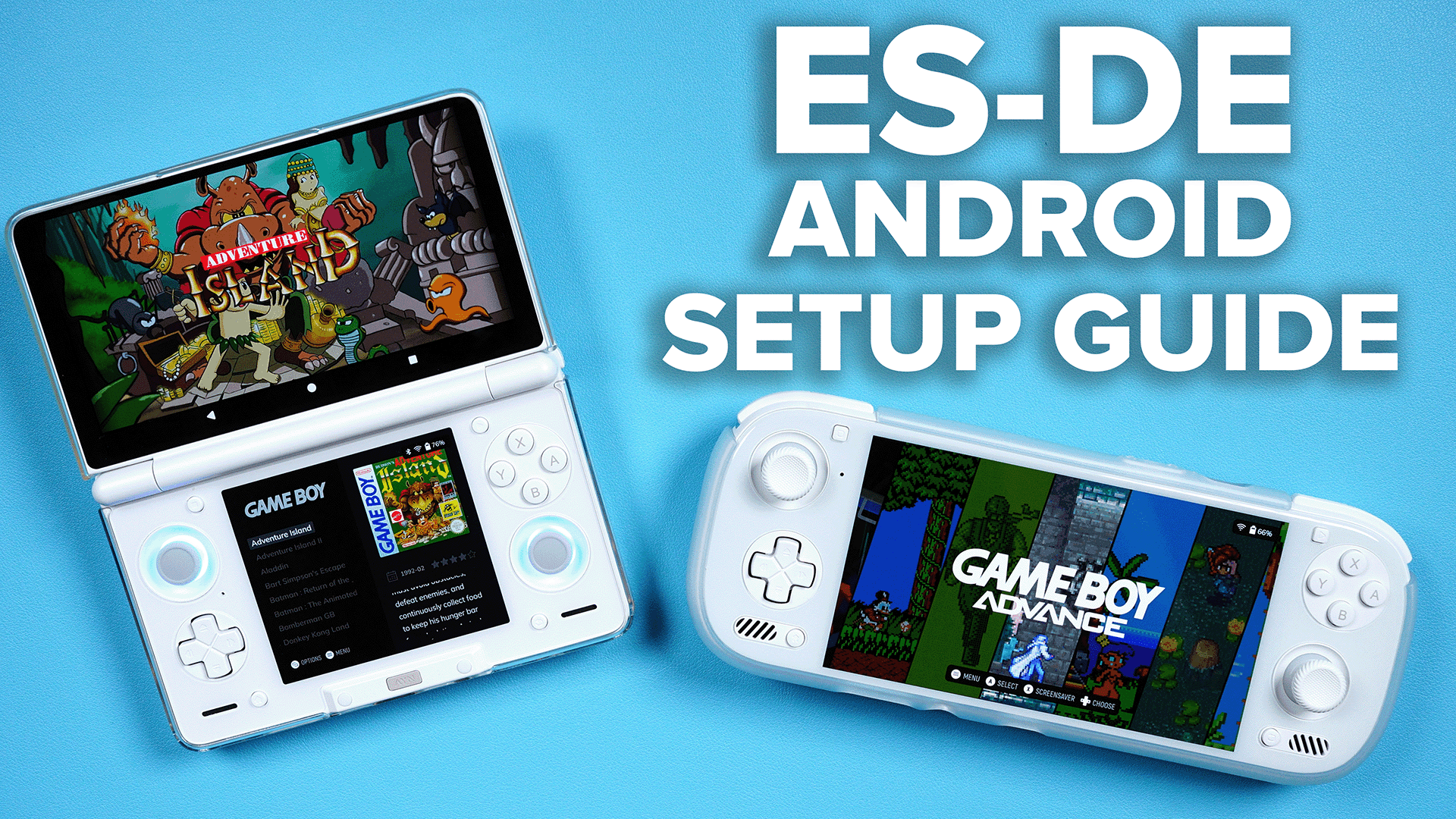
Some collectors own only a few hundred games, while others maintain libraries containing tens of thousands of ROMs across dozens of gaming systems. ES-DE handles both situations remarkably well when organized properly.
Consistent folder structures become increasingly important as collections grow. Clearly labeled directories make importing, backing up, and troubleshooting much easier than managing randomly organized files.
Search functionality also becomes more valuable with large collections. Instead of scrolling endlessly through alphabetical lists, users can quickly locate specific games by entering part of a title.
Metadata organization plays an even bigger role in massive libraries. Accurate genres, release years, developers, and ratings make browsing significantly more enjoyable than relying solely on filenames.
Some collectors even maintain multiple libraries for different purposes, such as official releases, translated games, prototypes, educational software, and homebrew titles. ES-DE provides enough flexibility to accommodate virtually any organizational approach.
Backup and Data Protection
Building a polished ES-DE library often requires many hours of work. Downloading metadata, selecting themes, customizing collections, configuring emulators, and organizing ROMs represents a significant investment of time.
Creating regular backups protects that investment. Most users back up ROMs, configuration files, downloaded artwork, metadata databases, and save files together. If a hard drive fails or a system needs reinstalling, restoration becomes much simpler.
External hard drives remain one of the most popular backup solutions due to their affordability and capacity. Cloud storage can also provide additional protection for configuration files and metadata, although extremely large ROM collections may exceed practical online storage limits.
Scheduling backups periodically helps ensure recent changes are preserved. Even monthly backups can prevent losing countless hours of customization work.
Protecting your collection is just as important as building it, especially if you’ve spent years assembling and organizing your favorite retro games.
Advanced Customization Options in ES-DE
One of the reasons experienced retro gamers continue using ES-DE for years is the impressive level of customization it offers. While the default settings work well for most users, advanced options allow you to tailor nearly every aspect of the frontend. From changing menu behavior to adjusting artwork layouts and launch commands, there is plenty of room to make the interface your own.
Many users begin by customizing the visual appearance with themes, but the possibilities extend much further. You can modify transition animations, choose different display modes for game lists, enable or disable background music, configure screensavers, and adjust how metadata appears for every title. Small changes may seem insignificant individually, but together they create a personalized experience that feels unique.
Advanced users often edit configuration files directly to unlock even more flexibility. This approach allows precise control over emulator launch parameters, controller behavior, artwork directories, and other technical settings. Although manual editing requires some familiarity with configuration files, it gives experienced users complete control over their setup.
Customization is one of the defining strengths of ES-DE. Whether you prefer a minimalist interface or an elaborate multimedia presentation with videos and animations, the frontend provides enough options to satisfy nearly every retro gaming enthusiast.
Troubleshooting Common ES-DE Issues
Even well-designed software occasionally presents challenges, especially when working with multiple emulators, ROM collections, and operating systems. Fortunately, most ES-DE problems are relatively simple to solve once the cause has been identified.
A common issue involves games not appearing in the library after scanning. In many cases, this happens because ROMs are stored in incorrect folders or use unsupported filenames. Verifying the folder structure and rescanning the library usually resolves the problem quickly.
Another issue users encounter is games failing to launch. Since ES-DE relies on external emulators, incorrect emulator paths or missing emulator installations are often responsible. Double-checking emulator locations and ensuring the correct launch commands are configured usually fixes launch problems.
Missing artwork or metadata is another frequent concern. If scraping was interrupted or filenames don’t match online databases, some games may not display complete information. Running the scraper again or manually selecting the correct game entry generally restores missing artwork.
Performance concerns occasionally arise with extremely large collections or highly detailed themes. Switching to a lighter theme, optimizing image sizes, or storing media on a faster drive often improves responsiveness significantly.
Keeping Your Game Library Organized
As your collection grows, maintaining good organization becomes increasingly important. A small library of fifty games is easy to manage, but collections containing several thousand titles require a thoughtful structure to remain enjoyable.
Consistent naming conventions are one of the simplest ways to improve organization. Using standardized filenames makes metadata scraping more accurate while also making manual searches much easier. Avoiding unnecessary symbols and duplicate tags creates a cleaner overall library.
Removing duplicate ROMs also improves navigation. Many collectors accidentally store multiple copies of identical games with only minor regional differences. Keeping only the versions you actually intend to play reduces clutter without sacrificing variety.
Creating separate folders for homebrew software, translated games, prototypes, demos, and ROM hacks helps maintain a clean library. Although ES-DE can display everything together, separating special releases makes browsing more efficient over time.
Periodic maintenance is worth the effort. Spending a few minutes every month reviewing new additions, deleting unwanted files, and updating metadata keeps the frontend looking polished for years.
Tips for Getting the Best Experience
Although ES-DE works well immediately after installation, a few best practices can dramatically improve the overall experience. Many experienced users recommend taking time to configure everything properly before importing thousands of games.
Choosing high-quality emulators is one of the most important decisions. Since ES-DE launches external software, emulator quality directly affects gameplay performance, compatibility, and graphical accuracy. Researching recommended emulators for each console produces better long-term results.
Downloading complete metadata packages also makes a noticeable difference. Cover art, descriptions, logos, screenshots, and gameplay videos transform an ordinary game list into an attractive digital collection that is enjoyable to browse even when you’re unsure what to play.
Regular backups should become part of your routine. Configuration files, metadata, save files, and ROM collections represent many hours of work. Backing everything up protects your collection against hardware failures and accidental mistakes.
Finally, don’t hesitate to experiment. Try different themes, layouts, collections, and settings until the frontend feels perfect for your own gaming habits.
Community Support and Resources

The ES-DE community is one of its greatest strengths. Thousands of retro gaming enthusiasts actively share configuration guides, troubleshooting tips, custom themes, artwork packs, and recommendations that help both beginners and advanced users improve their setups.
Discussion forums often provide solutions to problems that new users encounter during installation or configuration. Since many community members have already solved similar issues, searching existing discussions frequently leads to quick answers without requiring extensive troubleshooting.
Video tutorials are another valuable resource. Watching experienced users configure ES-DE step by step can simplify complex tasks such as emulator integration, metadata scraping, and advanced customization. Visual demonstrations often make technical concepts easier to understand than written instructions alone.
Theme creators also contribute significantly to the community. Their work allows users to completely transform the appearance of ES-DE without changing its underlying functionality. New themes continue appearing regularly, ensuring the frontend always feels fresh and modern.
Participating in the community can also introduce you to hidden features, optimization techniques, and classic games you might never have discovered otherwise.
Security and Legal Considerations
While ES-DE itself is completely legitimate software, users should remain aware of the legal considerations surrounding retro gaming. The frontend simply organizes and launches games; it does not include copyrighted game files or console firmware.
Whenever possible, users should obtain games through legal means. Many classic titles are now available through official digital storefronts or licensed collections, while some developers have released older games into the public domain.
Downloading software from trusted sources is equally important. Using official releases reduces the risk of installing modified files that may contain unwanted software or security vulnerabilities.
Backing up personal save files and configuration data also protects your progress. If you spend dozens of hours completing a classic role-playing game, preserving those save files becomes just as important as protecting the ROM collection itself.
By following responsible practices, users can enjoy ES-DE while respecting intellectual property rights and maintaining a secure gaming environment.
Future of ES-DE
The future looks promising for ES-DE. As interest in retro gaming continues growing, developers remain committed to improving the frontend through regular updates and feature enhancements.
Future improvements may include expanded platform compatibility, improved metadata management, better controller support, enhanced user interface options, and additional customization features. Ongoing development helps ensure the frontend remains competitive as new emulator technologies emerge.
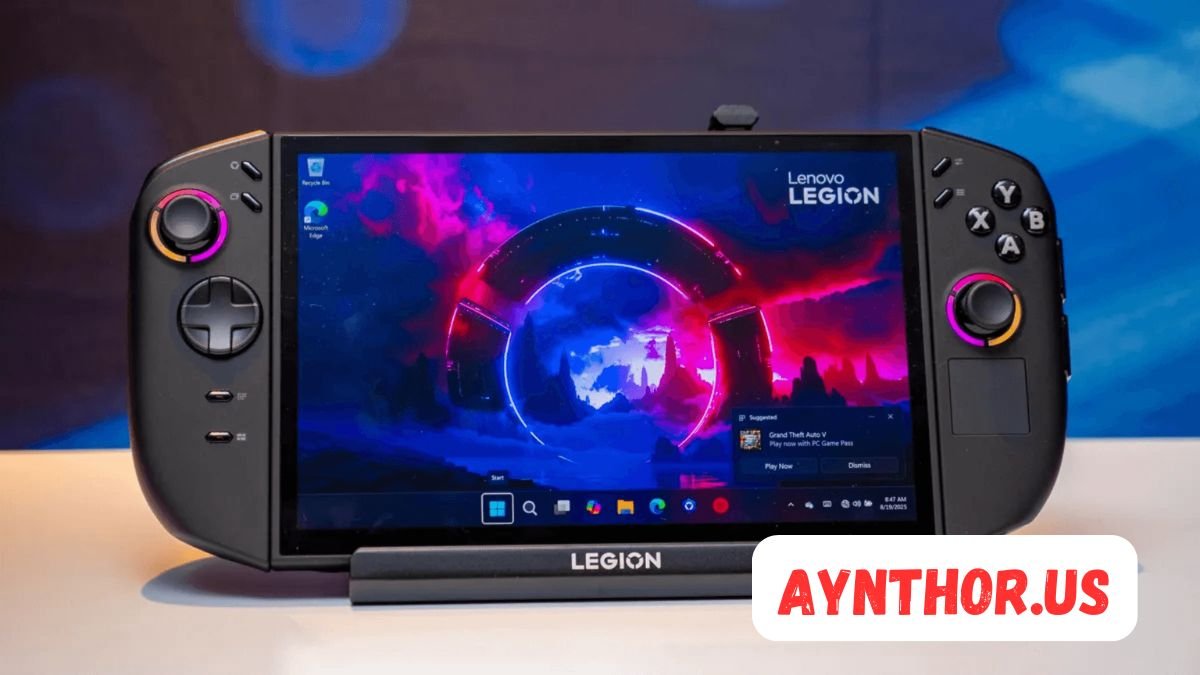
The increasing popularity of handheld gaming PCs and compact desktop systems also benefits ES-DE. More gamers are building dedicated retro gaming machines, creating greater demand for polished frontends capable of managing extensive collections.
Community contributions will likely continue shaping the software’s direction. Feedback from users helps identify useful features while theme creators and documentation writers expand the overall ecosystem.
With active development and a passionate user base, ES-DE appears well positioned to remain one of the leading retro gaming frontends for years to come.
Why ES-DE Stands Out from Other Frontends
Several retro gaming frontends are available today, but ES-DE has earned a strong reputation by balancing simplicity with powerful functionality. Rather than overwhelming new users with complicated menus, it offers an intuitive interface that remains accessible while still providing advanced options for experienced enthusiasts.
Visual presentation is another area where ES-DE excels. Rich metadata, beautiful themes, gameplay videos, and organized collections create a premium browsing experience that rivals commercial gaming platforms. Even older games feel fresh when displayed with high-quality artwork and detailed descriptions.
Compatibility also gives ES-DE a significant advantage. Supporting dozens of gaming systems while allowing users to choose their preferred emulators provides exceptional flexibility. This approach ensures that every platform can use the emulator best suited to its hardware requirements.
Perhaps the biggest strength is the balance between aesthetics and practicality. ES-DE looks impressive without sacrificing speed, usability, or reliability. It transforms retro gaming from a collection of scattered files into a polished digital library that is enjoyable to explore every day.
Conclusion
ES-DE has become one of the most respected retro gaming frontends because it successfully combines organization, customization, and ease of use into a single application. Instead of managing dozens of emulator shortcuts and scattered ROM folders, users gain a centralized library that feels modern, elegant, and efficient.
Whether your collection contains a few classic favorites or thousands of games spanning multiple decades, ES-DE provides the tools needed to keep everything organized. Features such as metadata scraping, custom themes, favorites, controller support, and extensive emulator compatibility make it an excellent choice for beginners and experienced collectors alike.
The software continues evolving through active development and a dedicated community that contributes themes, guides, and helpful resources. As retro gaming becomes increasingly popular, ES-DE remains a reliable solution for anyone seeking a professional-quality frontend.
If you’re looking for a way to transform your retro gaming collection into a polished and visually appealing library, ES-DE is well worth exploring. With thoughtful setup and regular maintenance, it can provide years of smooth, enjoyable gaming while keeping your favorite classics only a few button presses away.
FAQs
What does ES-DE stand for? ES-DE stands for EmulationStation Desktop Edition.
Is ES-DE an emulator? No, ES-DE is a frontend that launches external emulators.
Can ES-DE run games by itself? No, it requires compatible emulators to play games.
Is ES-DE free to use? Availability depends on the version and platform, so check the official project for current licensing.
Which operating systems support ES-DE? ES-DE supports multiple desktop operating systems, including Windows, Linux, and macOS.
Can I use controllers with ES-DE? Yes, ES-DE supports many USB and Bluetooth game controllers.
Does ES-DE support video previews? Yes, gameplay videos can be displayed when available through metadata.
Can I customize the appearance of ES-DE? Yes, ES-DE supports a wide variety of custom themes and interface options.
Does ES-DE organize large ROM collections? Yes, it is designed to manage both small and very large game libraries efficiently.
Is ES-DE suitable for beginners? Yes, its clean interface and straightforward setup make it beginner-friendly while still offering advanced features for experienced users.
Also read: RG406H: The Complete Guide to Features, Performance, Gaming, and Whether It’s Worth Buying






Post Comment