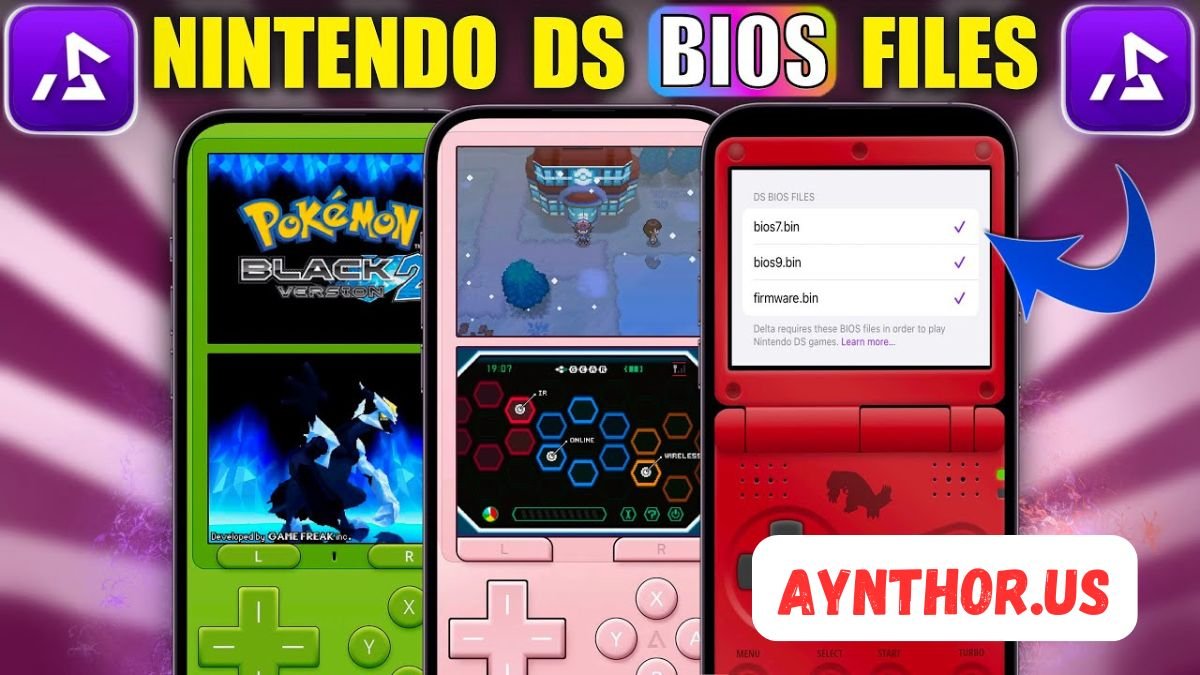
NDS BIOS: Complete Guide to Nintendo DS BIOS Files, Setup, Compatibility, and Safe Usage
Introduction
If you have ever explored Nintendo DS emulation, you have probably come across the term nds bios. It is one of the most commonly searched topics among emulator users because many Nintendo DS emulators either require BIOS files or perform better when they are available. Understanding what these files are and how they work can help you enjoy a smoother gaming experience without unnecessary errors or confusion.
Many beginners assume that BIOS files are simply extra downloads for an emulator, but they actually play a much more important role. They replicate the original firmware and startup behavior of a Nintendo DS console, allowing certain games and system functions to operate as they would on real hardware. Depending on the emulator you use, BIOS files may be optional or required for full compatibility.
This guide explains everything you need to know about nds bios in simple language. Whether you are new to Nintendo DS emulation or have been using emulators for years, this article will help you understand BIOS files, their purpose, compatibility, setup process, common issues, and best practices. By the end, you will have a complete understanding of how BIOS files fit into the Nintendo DS emulation experience.
What Is NDS BIOS?
The term nds bios refers to the Basic Input/Output System used by the Nintendo DS handheld gaming console. On the original hardware, the BIOS is responsible for initializing the system whenever the console powers on. It performs essential startup tasks before the operating system and games begin running.
Think of the BIOS as the bridge between the console’s hardware and software. Before a game cartridge starts, the BIOS checks the system, initializes memory, prepares the processors, and loads the firmware. Without these startup routines, the console would not function correctly.
When using an emulator, BIOS files recreate these startup functions. Some emulators include their own built-in alternatives, while others expect users to provide original BIOS files. This is why many emulator setup guides mention BIOS files during installation.
Why NDS BIOS Is Important for Emulation
The biggest reason nds bios is important is accuracy. Emulators attempt to reproduce the behavior of the Nintendo DS, but built-in replacements cannot always perfectly imitate the original hardware. Official BIOS files help improve compatibility with games that depend on specific hardware behavior.
Some Nintendo DS games perform hardware checks during startup. If an emulator lacks accurate BIOS functionality, these games may fail to boot, freeze, or display unexpected glitches. Using proper BIOS files often solves these problems.
Another advantage is that BIOS files allow users to experience the authentic Nintendo DS startup sequence. While this does not affect gameplay for every title, many enthusiasts enjoy seeing the original boot animation and hearing the familiar startup sound, making the experience feel closer to using the actual handheld console.
Understanding the Nintendo DS Boot Process
When you press the power button on a Nintendo DS, the console does not immediately launch the game cartridge. Instead, it follows a carefully designed startup sequence controlled by the BIOS and firmware.
The BIOS first initializes the ARM processors, memory, graphics hardware, sound hardware, and communication systems. Once the hardware is ready, it verifies the inserted game cartridge or selected application.
After these checks are complete, control passes to the game itself. Every Nintendo DS title depends on this initialization process, even if players never notice it. Emulators that accurately reproduce this sequence generally provide a more reliable gaming experience.
Components Commonly Associated with NDS BIOS
Many people use the term nds bios to describe several files together, although technically they each have different purposes.
The ARM7 BIOS file handles tasks related to the ARM7 processor inside the Nintendo DS. This processor manages sound, wireless communication, touch screen input, and several system-level operations that games rely on.
The ARM9 BIOS file supports the ARM9 processor, which is responsible for graphics rendering, gameplay logic, and most application processing. Both processors work together during gameplay, making both BIOS files important for accurate emulation.
Firmware files are another important component. Unlike BIOS files, firmware stores system settings such as language preferences, username, birthday, calibration information, and other console configurations. Some emulators can operate without firmware, while others benefit from having it available.
How Nintendo DS Emulators Use BIOS Files
Different emulators approach nds bios support differently. Some developers focus on convenience and include high-level emulation techniques that eliminate the need for BIOS files. Others prioritize hardware accuracy and recommend or require original BIOS files.
When BIOS files are available, the emulator loads them before launching the game. This closely mirrors the behavior of a real Nintendo DS console. Because of this, startup sequences, hardware timing, and compatibility often improve.
In contrast, an emulator that skips BIOS loading uses its own software implementation to imitate the same functions. This approach works surprisingly well for many games but may occasionally introduce compatibility issues with titles that rely on exact hardware behavior.
Difference Between BIOS and Firmware
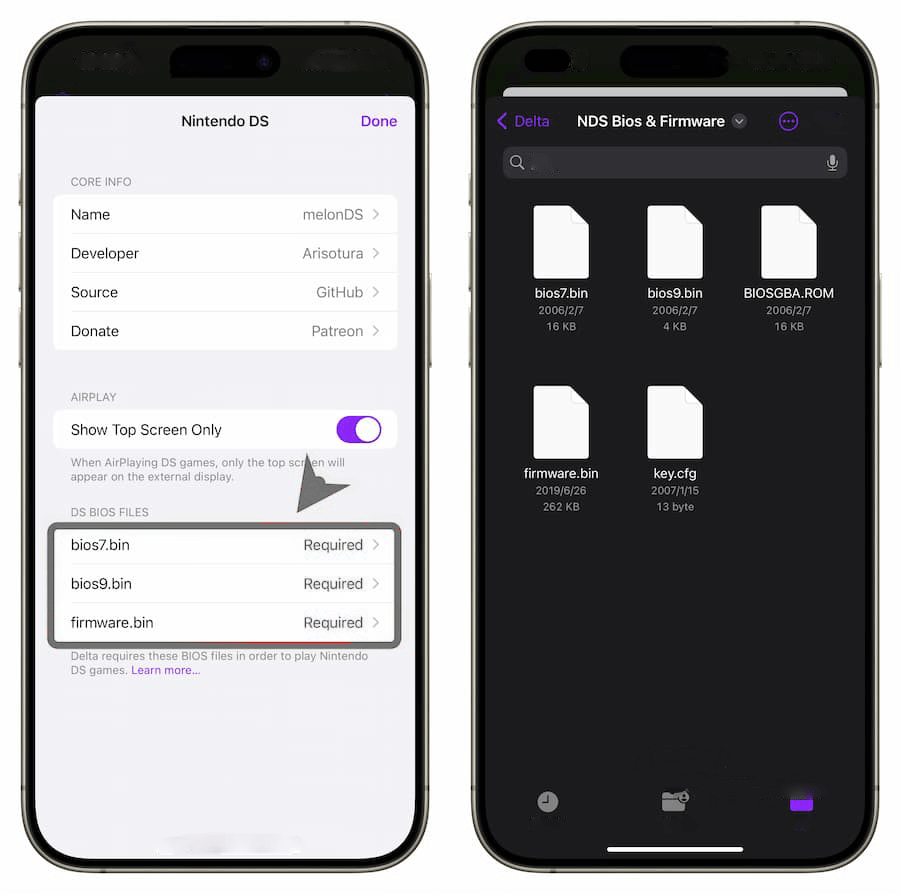
One of the biggest misconceptions is that BIOS and firmware are identical. While they work together, they serve different purposes.
The BIOS is responsible for initializing hardware during startup. It performs the essential checks needed before the console begins running software. Think of it as the system’s startup manager.
Firmware, on the other hand, stores configuration settings and provides system menu functionality. It remembers user preferences and offers features such as the Nintendo DS menu, profile information, and touch screen calibration.
Because of these different responsibilities, some emulators ask users to provide both BIOS and firmware files for maximum compatibility.
Which Nintendo DS Emulators Support NDS BIOS?
Several Nintendo DS emulators are available today, and each handles BIOS support differently depending on its design philosophy.
MelonDS is known for its focus on hardware accuracy. Many users choose it because it closely recreates the behavior of the original Nintendo DS. BIOS and firmware files are commonly used with MelonDS to achieve the highest level of compatibility.
DeSmuME is another popular emulator that supports many Nintendo DS games. It includes internal emulation for many BIOS functions, allowing users to play games even without original BIOS files. However, some advanced features and compatibility improvements may still benefit from external BIOS files.
Other Nintendo DS emulators also exist for Windows, Linux, macOS, and Android. Their BIOS requirements vary, so users should always check each emulator’s documentation before beginning setup.
Benefits of Using Original BIOS Files
Using authentic nds bios files offers several practical advantages beyond simply starting games.
One major benefit is increased compatibility. Certain games depend on startup routines that are difficult to recreate perfectly through software alone. Original BIOS files provide those routines exactly as intended.
Another benefit is improved system accuracy. Hardware initialization occurs exactly as it would on a physical Nintendo DS console, reducing the likelihood of unusual bugs or unexpected behavior during gameplay.
Many enthusiasts also appreciate the authentic boot experience. Seeing the original startup animation creates a nostalgic feeling that software replacements often cannot fully replicate.
Common Situations Where BIOS Files Help
Although many games work without BIOS files, there are situations where they become particularly valuable.
Some games contain anti-emulation checks or unusual initialization procedures. BIOS files often allow these games to behave correctly by reproducing the expected startup environment.
Homebrew software can also benefit from proper BIOS support. Developers frequently test applications using original hardware behavior, making BIOS accuracy useful for debugging and compatibility.
Advanced emulator features such as multiplayer testing, firmware menus, and hardware diagnostics may also function better when BIOS files are available.
Are BIOS Files Required for Every Emulator?
The answer depends entirely on the emulator being used. Some emulators are designed to work immediately after installation, while others prioritize accuracy over convenience.
For casual players who simply want to enjoy popular Nintendo DS games, many emulators function perfectly well without BIOS files. These programs use high-level emulation to imitate the original console.
However, users seeking the most authentic Nintendo DS experience often choose emulators that support original BIOS files. These emulators generally provide more accurate hardware behavior, especially when testing less common games or homebrew software.
Ultimately, the choice depends on your priorities. Convenience-focused users may never need BIOS files, while enthusiasts and developers often consider them an important part of accurate Nintendo DS emulation.
Common Misunderstandings About NDS BIOS
Many myths surround nds bios, especially among people who are just beginning to learn about emulation.
One common misconception is that BIOS files improve graphics quality. In reality, graphics resolution and rendering depend primarily on the emulator itself rather than the BIOS. BIOS files mainly influence startup behavior and hardware compatibility.
Another myth suggests that BIOS files automatically make every game run faster. Performance is usually determined by your computer or mobile device, emulator optimization, graphics settings, and processor speed. BIOS files may improve compatibility, but they are not performance boosters.
Some people also believe BIOS files contain game data. This is incorrect. BIOS files only contain the system software required to initialize the Nintendo DS hardware. Games remain completely separate from the BIOS itself.
Understanding Accuracy Versus Convenience
The world of emulation often balances two different goals: accuracy and convenience.
Accuracy-focused emulators attempt to recreate every detail of the Nintendo DS hardware as faithfully as possible. They often recommend BIOS files because these files reproduce original console behavior with minimal approximation.
Convenience-focused emulators prioritize simplicity. Users can install the emulator, load a compatible game, and begin playing immediately without searching for additional system files.
Neither approach is universally better. Casual players usually appreciate quick setup, while preservation enthusiasts, developers, speedrunners, and hardware researchers often prefer greater accuracy. Understanding this difference helps explain why opinions about nds bios vary across different emulator communities.
How NDS BIOS Improves Game Compatibility
One of the biggest reasons experienced emulator users choose to use nds bios is improved compatibility. While modern emulators have become incredibly advanced, there are still games that expect the Nintendo DS hardware to behave exactly like the original console. BIOS files help make that possible.
When an emulator uses accurate BIOS files, it can initialize the system in the same way a real Nintendo DS does. This reduces the chance of startup failures, unexpected crashes, or strange graphical behavior. Although many popular games work without BIOS files, certain titles perform better when the emulator follows the original startup process.
Compatibility also extends beyond commercial games. Fan-made homebrew applications, development tools, and hardware testing software often rely on system behavior that closely matches the original console. Using BIOS files helps these applications run more reliably.
Features That BIOS Files Do Not Change
It is important to understand what nds bios does not do. Many new users expect BIOS files to unlock hidden graphics settings, increase frame rates, or improve game resolution. In reality, BIOS files are not designed for these purposes.
Visual quality depends primarily on the emulator’s rendering engine. Features like higher internal resolution, texture filtering, screen layouts, and scaling are controlled by emulator settings rather than BIOS files.
Similarly, game speed is usually determined by your device’s processor, graphics hardware, available memory, and emulator optimization. If your computer or smartphone struggles to emulate Nintendo DS games smoothly, adding BIOS files alone will not solve performance problems.
Understanding these limitations helps users set realistic expectations while configuring their emulator.
Using NDS BIOS Across Different Operating Systems
Modern Nintendo DS emulators are available for nearly every major operating system. Whether you use Windows, macOS, Linux, or Android, BIOS support is generally similar, although setup methods may vary slightly.
On Windows, emulator users typically place BIOS files inside a designated folder before selecting them through the emulator’s settings menu. Once configured, the emulator automatically loads these files whenever it starts.
Linux users usually follow a similar process, although file paths may differ depending on the distribution and installation method. Most Linux-based emulators provide clear configuration options for selecting BIOS locations.
Android emulators often require users to copy BIOS files into device storage before assigning them through the application’s settings. Because Android devices have different storage structures, users should follow the emulator’s documentation for the correct folder location.
NDS BIOS and Homebrew Applications
Nintendo DS homebrew software has remained popular for many years. Independent developers continue creating games, utilities, media players, and educational applications designed for Nintendo DS hardware.
Many homebrew applications work perfectly without BIOS files because developers intentionally design them for maximum compatibility. However, certain advanced applications interact directly with hardware components and may perform better when accurate BIOS support is available.
Developers testing their own software also appreciate BIOS files because they provide a development environment that more closely resembles the original hardware. This makes debugging easier and helps identify compatibility issues before software is released.
For hobbyists interested in Nintendo DS programming, understanding BIOS behavior provides valuable insight into how the console initializes its hardware during startup.
Why Some Emulators Skip BIOS Requirements
Many users wonder why some Nintendo DS emulators never ask for nds bios files. The answer lies in a technique known as high-level emulation.
Instead of reproducing every hardware instruction exactly, high-level emulation recreates the overall behavior of the system using modern programming techniques. This allows developers to simplify installation while maintaining compatibility with most games.
The advantage is obvious. Users can download the emulator, load a game, and begin playing immediately without searching for additional files.
The disadvantage is that certain low-level hardware behaviors may differ slightly from the original Nintendo DS. While these differences rarely affect everyday gameplay, enthusiasts seeking maximum accuracy often prefer BIOS-supported emulators.
Common Problems Related to NDS BIOS
Incorrect BIOS configuration can lead to several common issues. Fortunately, most of these problems are relatively easy to understand once users know what to look for.
One common issue occurs when an emulator cannot locate the BIOS files. In this situation, the emulator may display an error message or simply fall back to its internal BIOS replacement.
Another problem involves incompatible file versions. BIOS files intended for different Nintendo DS models may not always behave identically, depending on emulator support and hardware expectations.
Corrupted BIOS files can also prevent games from launching correctly. If startup errors continue even after proper configuration, verifying file integrity becomes an important troubleshooting step.
How Emulator Settings Affect BIOS Usage
Even when BIOS files are available, emulator settings determine whether they are actually used. Some emulators include an option allowing users to choose between internal BIOS emulation and external BIOS files.
If internal BIOS emulation remains enabled, the emulator may ignore externally supplied BIOS files altogether. Users expecting authentic startup behavior should verify that the correct configuration option is selected.
Screen layout, rendering mode, audio settings, and controller mapping operate independently from BIOS configuration. This means users can customize their gameplay experience without affecting BIOS functionality.
Learning how emulator settings interact with BIOS support helps avoid unnecessary confusion during setup.
Understanding Nintendo DS Hardware
To better understand nds bios, it helps to know a little about the Nintendo DS itself.
Unlike many handheld consoles released before it, the Nintendo DS contains two processors working together. The ARM9 processor handles most gameplay operations, while the ARM7 processor manages audio, communication, touch input, and several system functions.
The BIOS initializes both processors during startup. Each processor has its own responsibilities, making proper initialization essential before games begin running.
The console also includes graphics processors, sound hardware, wireless networking, cartridge communication systems, and touch screen controllers. BIOS routines prepare these components before transferring control to the game software.
This carefully coordinated startup process is one reason accurate emulation remains technically impressive even many years after the Nintendo DS was released.
The Role of Firmware Alongside BIOS
Although BIOS often receives most of the attention, firmware is another important component of Nintendo DS emulation.
Firmware stores user settings that remain available every time the console starts. These include language selection, nickname, birthday information, favorite color, alarm settings, and touch screen calibration.
Some emulators allow users to create virtual firmware settings without requiring original firmware files. Others support loading authentic firmware for increased realism.
Together, BIOS and firmware recreate the behavior of an actual Nintendo DS console far more accurately than either component could alone.
Why Accuracy Matters in Emulation
Many casual players simply want games to work, but emulator developers often have much broader goals.
Accurate emulation preserves gaming history. By carefully reproducing original hardware behavior, developers ensure that future generations can experience classic Nintendo DS software even if physical hardware becomes unavailable.
Accuracy also benefits researchers, preservation projects, translators, speedrunners, and homebrew developers. Small hardware differences that seem unimportant during casual gameplay may become significant during software development or compatibility testing.
This commitment to preservation explains why many emulator projects continue improving BIOS support even after achieving excellent game compatibility.
Legal Considerations Surrounding NDS BIOS
Whenever people discuss nds bios, legal questions usually arise as well.
The BIOS itself is copyrighted system software created by Nintendo. Because of this, distributing BIOS files without authorization is generally not permitted.
Many emulator developers intentionally avoid including official BIOS files with their software. Instead, they provide support for users who legally obtain BIOS files from their own hardware where local laws permit.
It is important to distinguish between emulators and BIOS files. Emulators themselves are generally legal because they are independently developed software. The legal considerations typically involve copyrighted firmware and BIOS data rather than the emulator program itself.
Users should always familiarize themselves with the copyright laws that apply in their own country before handling system software.
Best Practices for Emulator Configuration
Configuring a Nintendo DS emulator properly can improve both stability and compatibility.
Keeping the emulator updated is one of the simplest ways to improve overall performance. Developers regularly fix bugs, improve compatibility, and optimize hardware emulation.
Choosing appropriate graphics settings for your device also makes a noticeable difference. Extremely high rendering settings may reduce performance on lower-powered hardware even when BIOS files are configured correctly.
Saving game progress through both in-game saves and emulator save states provides additional protection against unexpected crashes or corrupted save files.
Finally, organizing BIOS, firmware, save files, screenshots, and game directories into separate folders makes long-term emulator management much easier.
Tips for Beginners Using Nintendo DS Emulators
Starting with Nintendo DS emulation may seem confusing at first, but it becomes much easier once you understand the basic components.
Begin by selecting a reputable emulator that matches your operating system. Read its documentation carefully before changing advanced settings.
Do not assume every game requires BIOS files. Many titles work perfectly using the emulator’s built-in functionality, making BIOS configuration optional for casual gameplay.
Take time to learn what each emulator option does before making major changes. Adjusting graphics settings, screen layouts, controller mapping, and audio options gradually helps you understand how each feature affects gameplay.
Most importantly, remember that emulator communities often provide helpful documentation and troubleshooting advice for common configuration questions.
Future of Nintendo DS Emulation
Nintendo DS emulation continues improving every year. Modern computers and smartphones are significantly more powerful than the original Nintendo DS hardware, allowing developers to focus on improving accuracy instead of simply achieving playable speeds.
Future emulator updates will likely continue refining BIOS behavior, firmware emulation, multiplayer support, touchscreen accuracy, and hardware timing. These improvements help preserve one of Nintendo’s most successful handheld consoles for future generations.
As emulator development progresses, the difference between original hardware and software emulation continues shrinking. This benefits both casual players and preservation enthusiasts alike.
Although nds bios remains an important topic today, future emulator improvements may make BIOS configuration even simpler while maintaining high compatibility and excellent accuracy.
Troubleshooting Common NDS BIOS Issues
Even after setting up an emulator correctly, users may occasionally encounter problems related to nds bios. Fortunately, most issues have straightforward explanations and can usually be resolved without much effort.
If an emulator reports that BIOS files cannot be found, the first thing to check is whether the files are located in the correct directory. Many emulators allow users to specify a custom folder, while others expect the files to be placed in a predefined location. Double-checking the file path often solves the issue.
Another common problem is an incorrect file name. Some emulators expect BIOS files to use exact filenames, and even a small difference in capitalization or spelling may prevent them from loading. Reading the emulator’s documentation helps ensure the files are named correctly.
Corrupted BIOS files can also lead to unexpected behavior. Symptoms may include black screens, games refusing to boot, or startup errors. In such cases, replacing the damaged files with a verified copy from a legitimate source is often the best solution.
How to Keep Your Emulator Running Smoothly
Using nds bios is only one part of maintaining a reliable Nintendo DS emulation setup. Regular maintenance can greatly improve long-term stability.
Keeping your emulator updated is one of the easiest ways to avoid compatibility problems. Developers frequently release updates that fix bugs, improve performance, and support more games.
Organizing your emulator files also makes troubleshooting easier. Storing BIOS files, firmware, save data, screenshots, and configuration files in clearly labeled folders reduces confusion when updating or moving your emulator to another device.
Backing up your save files regularly is another good habit. Even though emulators are generally reliable, accidental file deletion or storage failure can happen. Having backups ensures your game progress remains safe.
Performance Tips for Better Nintendo DS Emulation
Many users mistakenly believe that nds bios alone determines emulator performance. While BIOS files contribute to compatibility, overall performance depends on several additional factors.
A modern processor significantly improves emulation speed. Nintendo DS emulation is not extremely demanding on current computers, but older hardware may struggle with enhanced graphics settings or multitasking.
Closing unnecessary background applications frees up system resources. This is especially helpful on lower-end laptops or mobile devices where available memory is limited.
Choosing balanced graphics settings is equally important. Increasing rendering resolution can make games look sharper, but it also requires more processing power. Finding a balance between visual quality and smooth gameplay usually provides the best experience.
Updating graphics drivers and operating system software can also improve emulator stability. Many graphics-related issues are resolved through driver updates rather than changes to BIOS configuration.
Choosing the Right Emulator for Your Needs
There is no single emulator that is perfect for everyone. The ideal choice depends on how you plan to use nds bios and what kind of experience you want.
If your priority is maximum accuracy, selecting an emulator designed around hardware preservation may be the best option. These emulators often provide excellent BIOS support and closely mimic the behavior of the original Nintendo DS console.
If simplicity is more important, an emulator with built-in BIOS emulation may be a better fit. These applications usually require less configuration and allow users to start playing almost immediately.
Mobile users should also consider battery usage, touchscreen controls, and interface design. An emulator that performs well on desktop computers may not always offer the best experience on smartphones or tablets.
Trying several well-known emulators can help you determine which one best matches your preferences.
Advantages of Learning About NDS BIOS
Understanding nds bios provides benefits beyond simply launching games. It also helps users appreciate how game consoles function behind the scenes.
Learning about BIOS introduces concepts such as hardware initialization, processor communication, firmware management, and system software. These topics provide valuable insight into computer architecture and emulator development.
For aspiring programmers, studying BIOS behavior can inspire a deeper interest in software engineering, reverse engineering, or hardware design. Many emulator developers began as curious gamers who wanted to understand how their favorite consoles worked.
Even casual players benefit from this knowledge because they become better equipped to troubleshoot problems and configure their emulators effectively.
Myths About NDS BIOS
Because BIOS files are discussed so frequently in emulation communities, several myths continue to circulate online.
One myth claims that every Nintendo DS game requires BIOS files. This is false. Many emulators successfully run a large percentage of games using internal emulation without requiring external BIOS files.
Another myth suggests that BIOS files increase graphics quality. Graphics improvements come from emulator features such as higher rendering resolution, texture filtering, and scaling rather than the BIOS itself.
Some people also believe that downloading random BIOS files from unknown websites is safe. This is risky because unofficial downloads may contain modified, incomplete, or corrupted files. Users should always be cautious when searching for emulator-related resources.
Finally, there is a misconception that BIOS files guarantee perfect compatibility. While they often improve accuracy, emulator quality, hardware capability, and software optimization remain equally important factors.
The Importance of Responsible Emulation

Nintendo DS emulation has allowed millions of players to revisit classic games years after the console’s release. At the same time, it is important to approach emulation responsibly.
Respecting intellectual property helps support the gaming industry and encourages continued preservation efforts. Understanding the difference between emulator software and copyrighted system files enables users to make informed decisions.
Responsible emulation also includes maintaining clean software installations, avoiding modified files from unreliable sources, and supporting developers who dedicate countless hours to improving emulator accuracy.
By following good practices, users help create a healthier community focused on education, preservation, and appreciation of gaming history.
Why NDS BIOS Remains Relevant Today
Although the Nintendo DS is no longer Nintendo’s newest handheld console, nds bios continues to be an important topic because of the console’s lasting popularity.
The Nintendo DS library includes thousands of games covering nearly every genre imaginable. Puzzle games, role-playing adventures, strategy titles, racing games, educational software, and family-friendly experiences continue attracting new players every year.
Researchers, preservation organizations, speedrunners, translators, and homebrew developers also continue working with Nintendo DS software. Accurate BIOS support remains valuable for these specialized communities.
As emulator technology evolves, BIOS discussions remain relevant because they represent one of the key components required to reproduce original hardware behavior faithfully.
Conclusion
Understanding nds bios is an important step for anyone interested in Nintendo DS emulation. While many emulators can successfully run games without external BIOS files, authentic BIOS support often improves hardware accuracy, startup behavior, and compatibility with certain games and homebrew applications.
BIOS files should not be viewed as performance boosters or graphics enhancements. Instead, they serve as the foundation that initializes the Nintendo DS hardware before software begins running. Knowing this distinction helps users configure their emulators with realistic expectations.
Whether you are a beginner exploring Nintendo DS games for the first time or an experienced enthusiast interested in accurate emulation, learning how BIOS files work provides valuable insight into one of gaming’s most beloved handheld systems. Combined with a reliable emulator, proper configuration, and responsible usage, nds bios contributes to an authentic and enjoyable Nintendo DS experience that preserves classic gaming for years to come.
FAQs
What is nds bios?
It is the Nintendo DS system software that initializes the console before games start.
Do all Nintendo DS emulators require nds bios?
No, many emulators include built-in BIOS emulation and can run games without external BIOS files.
Does nds bios improve graphics quality?
No, graphics quality depends on the emulator’s rendering settings, not the BIOS.
Can nds bios improve game compatibility?
Yes, it can improve compatibility for certain games and homebrew applications.
What is the difference between BIOS and firmware?
The BIOS initializes hardware, while firmware stores system settings and manages the console menu.
Is nds bios the same for every Nintendo DS model?
No, different Nintendo DS models may have different BIOS and firmware versions.
Can corrupted BIOS files cause emulator errors?
Yes, corrupted BIOS files may result in startup failures, crashes, or black screens.
Does nds bios increase emulator speed?
No, emulator speed mainly depends on your hardware and emulator optimization.
Can I use nds bios on Windows, macOS, Linux, and Android?
Yes, supported emulators on all these platforms can use BIOS files if configured correctly.
Why do emulator developers support nds bios?
They support it to achieve more accurate hardware emulation and better compatibility with original Nintendo DS behavior.
Also read: Fire Emblem ROM Hacks: The Complete Guide to the Best Fan-Made Adventures










Post Comment