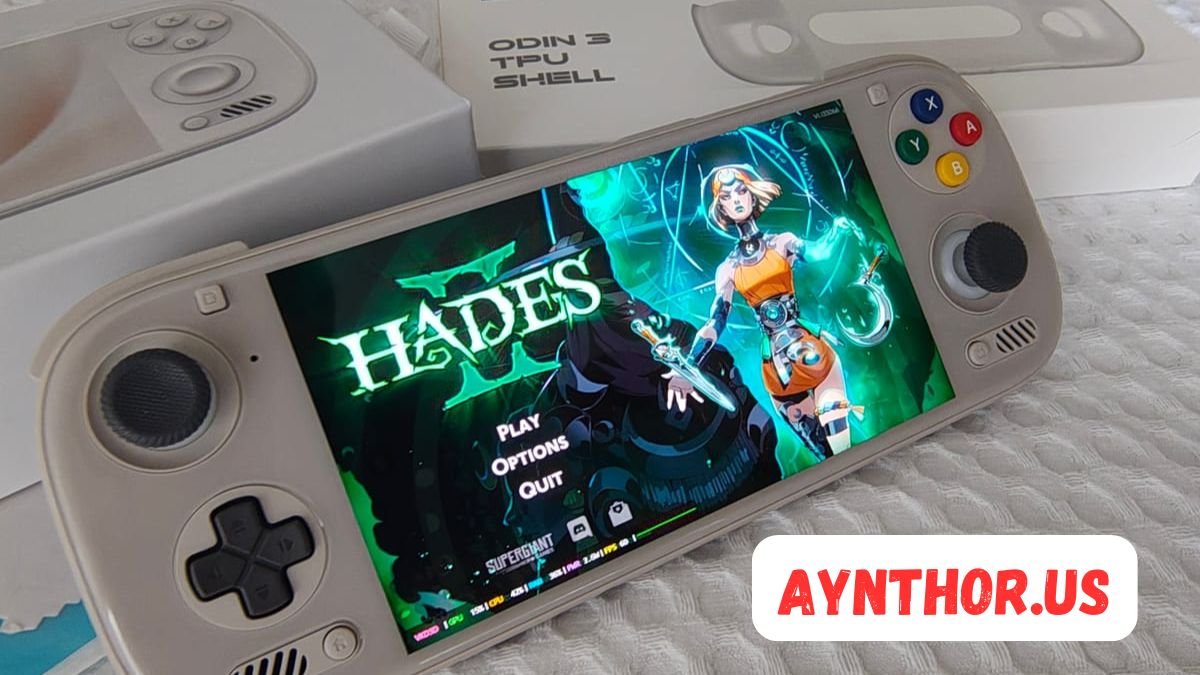
Odin 3: The Complete Guide to Features, Performance, Emulation, and Buying Tips
Introduction
The Odin 3 has become one of the most anticipated handheld gaming devices among retro gaming enthusiasts and Android gamers. Every new generation of handheld consoles brings improvements in power, display quality, battery life, and gaming compatibility, and the Odin 3 aims to continue that trend. Whether you enjoy classic console emulation, Android gaming, or cloud gaming, this device promises a balanced experience that appeals to both casual and serious gamers.
Portable gaming has evolved dramatically over the last decade. Instead of carrying multiple consoles, many players now prefer a single handheld capable of running games from several generations of gaming history. Devices like the Odin series have gained popularity because they combine modern hardware with Android’s flexibility, allowing users to customize their gaming experience without being limited to one ecosystem.
This guide explores everything you need to know about the Odin 3, including its design, hardware, gaming performance, software features, display, controls, battery life, storage options, emulation capabilities, accessories, and much more. Whether you’re planning to buy one or simply want to learn about the latest handheld gaming technology, this article will help you understand what makes the Odin 3 stand out.
What Is Odin 3?
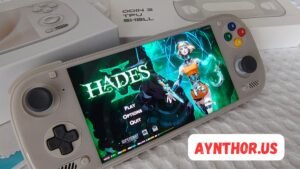
The Odin 3 is a premium Android-powered handheld gaming console designed primarily for gamers who enjoy retro emulation, Android games, streaming services, and portable entertainment. Unlike traditional gaming consoles that lock users into a single ecosystem, this handheld gives players the freedom to install compatible Android applications, gaming launchers, and emulators according to their preferences.
One of the biggest reasons for the growing popularity of the Odin lineup is its ability to combine powerful mobile hardware with physical gaming controls. Instead of relying on touchscreen controls, users can enjoy responsive joysticks, comfortable triggers, and programmable buttons that provide a console-like gaming experience wherever they go.
Another major advantage of the Odin 3 is its versatility. It isn’t just a retro gaming device. It also functions as a capable Android tablet, media player, cloud gaming device, and productivity tool. Many users watch videos, browse the web, listen to music, and even perform light work tasks on the same device, making it much more than a simple handheld console.
The Evolution of the Odin Series
The Odin lineup has steadily improved with each generation by addressing user feedback and introducing meaningful hardware upgrades. Earlier versions earned praise for delivering strong emulation performance while remaining more affordable than many competing handheld gaming devices.
As technology advanced, newer processors, improved cooling systems, faster memory, and higher-quality displays became available. Each Odin generation incorporated these improvements, allowing gamers to emulate newer consoles while enjoying smoother gameplay and longer battery life.
The Odin 3 represents another significant step forward in this evolution. Instead of making only cosmetic changes, it focuses on delivering a better overall gaming experience through enhanced performance, improved ergonomics, upgraded software optimization, and stronger compatibility across various gaming platforms.
Design and Build Quality
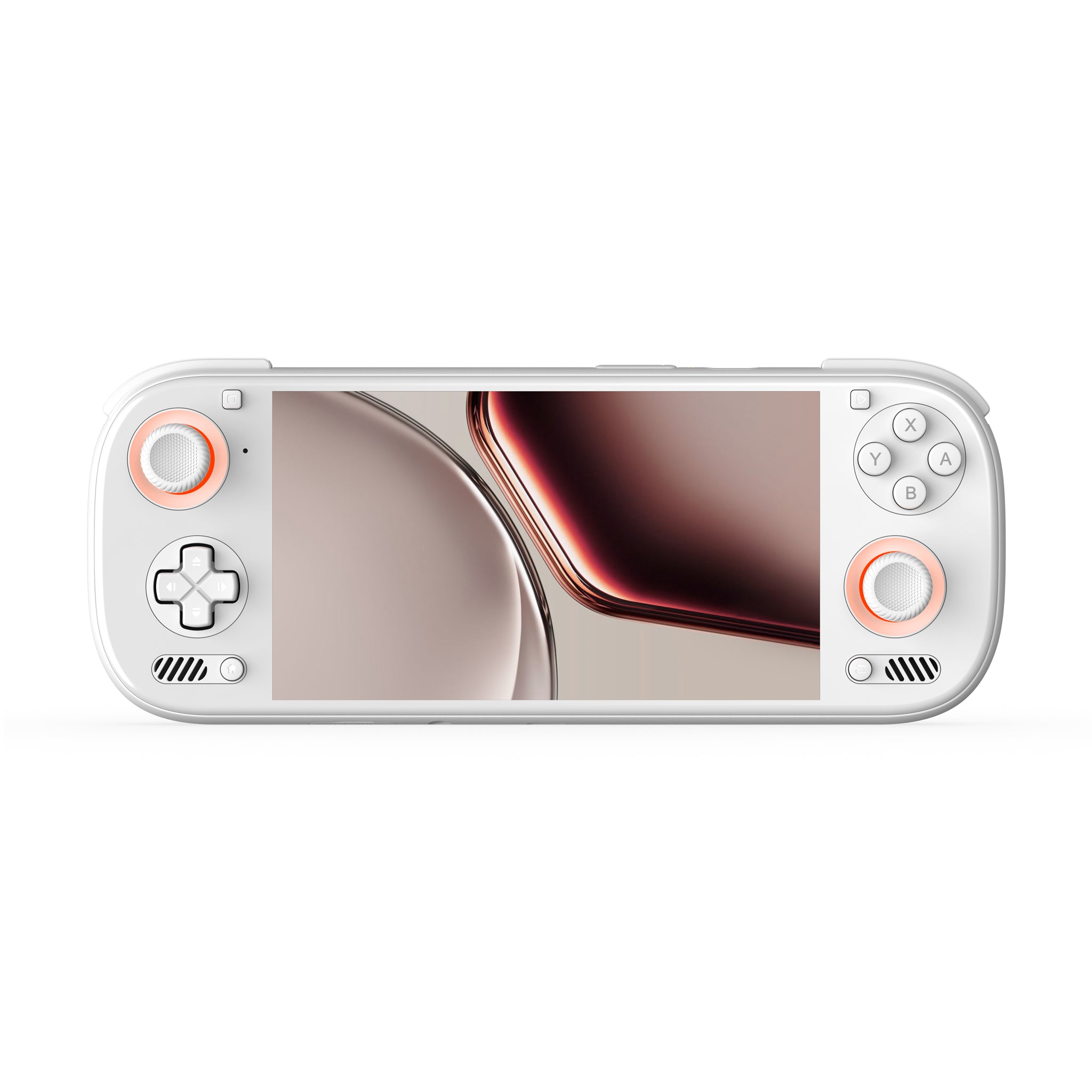
The first thing many users notice about the Odin 3 is its premium appearance. Rather than looking like a toy, the handheld feels like a well-designed gaming device built for daily use. High-quality materials, smooth curves, and carefully placed controls create a comfortable experience even during long gaming sessions.
Comfort plays a major role in portable gaming because players often spend several hours holding the device. The ergonomic grips reduce hand fatigue while ensuring that the analog sticks, D-pad, and face buttons remain easy to reach. Balanced weight distribution also helps minimize wrist strain, especially when playing action or racing games.
Attention to detail is another highlight of the design. The buttons provide satisfying feedback without excessive noise, the analog sticks feel precise, and the triggers offer consistent resistance. Even small improvements in texture and grip contribute to making the Odin 3 feel like a premium handheld rather than an ordinary Android device with attached controls.
Display Quality and Visual Experience
Display quality greatly influences the overall gaming experience, and the Odin 3 aims to provide a screen that delivers vibrant colors, sharp details, and excellent viewing angles. Whether you’re playing pixel-art retro games or modern Android titles, a high-quality display makes every scene look more immersive.
Brightness is especially important for portable gaming because many users play outdoors or in brightly lit environments. A brighter screen improves visibility while maintaining accurate colors, making games easier to enjoy without constantly adjusting viewing angles.
The display also contributes to multimedia use. Watching movies, streaming videos, reading comics, and browsing websites become much more enjoyable when the screen offers crisp text and vivid colors. Since many handheld owners use their devices for more than gaming, display quality becomes an important part of the overall value.
Hardware Performance
Performance is one of the strongest selling points of the Odin 3. A powerful processor allows the device to handle demanding Android games while also providing the processing power needed for advanced console emulation.
Modern mobile processors include multiple high-performance cores along with energy-efficient cores that balance speed and battery life. This architecture enables the Odin 3 to deliver excellent gaming performance while reducing unnecessary power consumption during lighter tasks like browsing or media playback.
Graphics performance also plays a critical role. Many emulators rely heavily on GPU performance to render games smoothly at higher resolutions. A capable graphics processor allows users to upscale classic games, apply graphical enhancements, and enjoy improved image quality without sacrificing performance.
Memory and Storage Options
Memory configuration directly affects multitasking performance. The Odin 3 is expected to offer sufficient RAM for running demanding Android games, switching between applications, and maintaining smooth system responsiveness.
Storage capacity matters because modern Android games can occupy several gigabytes each. Additionally, users often install multiple emulators, ROM collections, save files, media libraries, and productivity apps. Having larger internal storage reduces the need for constant file management.
Expandable storage further increases flexibility. Many gamers maintain extensive collections of retro games covering multiple gaming generations. Support for high-capacity memory cards allows users to organize their game libraries efficiently while keeping enough internal storage available for system applications and frequently played titles.
Gaming Controls and Ergonomics
Physical controls remain one of the biggest reasons gamers choose dedicated handhelds over smartphones. The Odin 3 includes responsive analog sticks, precise directional controls, comfortable triggers, and reliable face buttons designed specifically for gaming.
Accurate analog sticks are particularly important for racing games, shooters, and open-world adventures where smooth movement makes a noticeable difference. High-quality thumbsticks improve aiming precision while minimizing issues such as stick drift.
The button layout is carefully designed to support both modern Android games and retro console emulation. Whether playing platformers, fighting games, RPGs, or sports titles, players benefit from intuitive control placement that reduces finger movement and improves overall comfort.
Android Operating System and User Experience
Running Android gives the Odin 3 tremendous flexibility compared to traditional gaming consoles. Users have access to thousands of applications through the Android ecosystem, including gaming launchers, productivity apps, streaming platforms, browsers, and communication tools.
Customization is another major advantage. Gamers can personalize themes, install custom launchers, configure controller mappings, and optimize system settings according to their preferences. This flexibility allows each user to create a gaming environment tailored to their specific needs.
The operating system also supports multitasking efficiently. Switching between games, watching tutorials, chatting with friends, or listening to music becomes quick and convenient without requiring constant restarts or complicated menu navigation.
Emulation Capabilities
Retro gaming remains one of the biggest attractions of the Odin 3. Thanks to its powerful hardware, the device is capable of running emulators for many classic gaming systems while delivering smooth gameplay and impressive graphical enhancements.
Older systems typically run exceptionally well, allowing players to enjoy classic adventures, RPGs, platformers, racing games, and fighting games with improved resolution and enhanced visual quality. Save states, controller customization, texture filtering, and widescreen support further improve the experience beyond what original hardware offered.
More demanding console generations require stronger processing power, but the Odin 3 is expected to handle many of them with excellent compatibility. Emulator developers continually improve optimization, meaning performance often becomes better over time through software updates without requiring new hardware.
Android Gaming Performance
Besides retro gaming, the Odin 3 serves as an excellent Android gaming device. The Google Play ecosystem offers thousands of games ranging from simple puzzle titles to graphically intensive action adventures and multiplayer experiences.
Modern Android games increasingly support external controllers, allowing players to enjoy console-style gameplay instead of touchscreen controls. This greatly improves precision in shooters, racing games, and action titles while making gameplay more comfortable during extended sessions.
Performance optimization also contributes to stable frame rates during demanding games. Efficient thermal management helps maintain consistent performance even after long gaming sessions, reducing the likelihood of performance drops caused by overheating.
Cloud Gaming Support
Cloud gaming has changed how people access high-end games. Instead of relying entirely on local hardware, players can stream games from remote servers while enjoying impressive graphics on portable devices. The Odin 3 is well suited for this type of gaming because of its combination of strong Wi-Fi connectivity, physical controls, and Android compatibility.
Popular cloud gaming services allow users to access large game libraries without downloading massive files. This saves storage space while giving players access to titles that would otherwise require significantly more powerful hardware.
A stable internet connection remains essential for the best cloud gaming experience. Low latency and strong wireless performance help ensure responsive controls, smooth streaming, and minimal input delay, making gameplay feel surprisingly close to native performance.
Battery Life and Charging Performance
Battery life is one of the most important aspects of any handheld gaming device, and the Odin 3 is designed with long gaming sessions in mind. A powerful processor alone is not enough if the battery drains too quickly. Fortunately, modern chipsets are much more power efficient than older generations, allowing users to enjoy extended gameplay without constantly searching for a charger.
Actual battery performance depends on how the device is being used. Playing lightweight retro games usually consumes much less power than running demanding Android games or streaming high-resolution cloud games. Screen brightness, wireless connectivity, and background applications also influence battery life. Players who adjust these settings wisely can noticeably increase the amount of time they spend gaming on a single charge.
Fast charging adds another layer of convenience. Instead of waiting several hours for the battery to recharge, users can quickly restore a significant amount of power during short breaks. This makes the Odin 3 more practical for travel, commuting, or gaming throughout the day without lengthy interruptions.
Audio Quality
Sound quality plays a surprisingly large role in creating an immersive gaming experience. The Odin 3 is expected to provide clear stereo speakers that produce balanced audio for games, movies, and music. Good speakers allow players to hear environmental details, dialogue, and background music without needing external accessories.
Many gamers still prefer headphones for competitive gaming because they offer better positional audio. Wireless Bluetooth headphones provide convenience, while wired headphones can deliver extremely low latency for games where precise timing matters. Supporting multiple audio options ensures that users can choose whichever setup best fits their gaming style.
The device also serves well as a portable entertainment system. Whether watching movies, streaming television shows, or listening to music, quality audio improves the overall multimedia experience. Combined with a vibrant display, the Odin 3 becomes an enjoyable companion for much more than gaming alone.
Connectivity Options
Modern handheld gaming devices need reliable connectivity to support online gaming, cloud services, software updates, and media streaming. The Odin 3 includes wireless technologies that help users stay connected almost anywhere with internet access.
Fast Wi-Fi improves download speeds, reduces game update times, and provides smoother cloud gaming performance. Stable wireless connectivity is especially valuable for multiplayer games where low latency can make gameplay feel more responsive and enjoyable.
Bluetooth support expands the possibilities even further. Users can connect wireless controllers, keyboards, headphones, speakers, and other accessories without cluttering the device with cables. This flexibility allows the Odin 3 to adapt to many different situations beyond handheld gaming.
Software Features
Software optimization is just as important as powerful hardware. The Odin 3 benefits from an Android operating system that offers a familiar interface while allowing manufacturers to include gaming-focused enhancements that improve usability.
Performance modes give users more control over how the hardware behaves. Some players may prioritize maximum frame rates, while others prefer longer battery life during travel. Switching between different performance profiles allows each person to customize the balance between power consumption and gaming performance.
Gaming utilities also improve the overall experience. Features like controller mapping, customizable button layouts, screen recording, game launchers, and quick-access menus help users spend less time adjusting settings and more time enjoying their favorite games.
Retro Gaming Experience
One of the biggest reasons people become interested in the Odin 3 is its ability to recreate classic gaming experiences. Many players have collections of favorite titles from childhood that they enjoy revisiting whenever they have free time.
Retro gaming is about more than nostalgia. Many older games remain enjoyable today because they feature creative gameplay, memorable music, and timeless level design. Modern handheld devices allow these classics to be experienced with sharper visuals, improved save options, and customizable controls.
Another advantage is portability. Instead of setting up multiple vintage gaming systems, users can carry thousands of classic games in one compact handheld device. This convenience makes retro gaming far more accessible for both longtime collectors and newcomers discovering older titles for the first time.
Console Emulation Performance
Emulation performance has become one of the primary ways enthusiasts evaluate handheld gaming devices. The Odin 3 is expected to perform well across multiple generations of gaming consoles thanks to improvements in both processing power and graphics performance.
Older gaming systems generally require relatively little processing power. This allows players to increase rendering resolution, apply texture filtering, and enable graphical enhancements while maintaining smooth gameplay. Many classic titles end up looking significantly better than they did on their original hardware.
More advanced console generations naturally place greater demands on the hardware. However, continual improvements in emulator development often unlock better performance through software updates. This means users frequently enjoy increased compatibility and smoother gameplay as emulator projects continue to evolve.
Performance in Android Games
The Android gaming ecosystem has expanded tremendously over the past few years. The Odin 3 is well positioned to take advantage of this growth by offering powerful hardware alongside dedicated gaming controls.
Many modern Android games feature console-quality graphics, advanced physics, online multiplayer modes, and extensive content updates. Running these titles smoothly requires a capable processor and graphics unit that can maintain stable frame rates even during intense action sequences.
Physical controls dramatically improve gameplay compared to touchscreen input. Racing games become easier to control, shooters benefit from more accurate aiming, and action games feel more responsive overall. This transforms many Android games into experiences that closely resemble traditional console gaming.
Cloud Gaming Experience
Cloud gaming continues to gain popularity because it removes many hardware limitations. Instead of rendering games locally, powerful remote servers handle the graphics while the video stream is delivered to the handheld device over the internet.
The Odin 3 works well for cloud gaming thanks to its ergonomic controls, high-quality display, and Android compatibility. Players can access large game libraries without filling internal storage or worrying about hardware compatibility.
Reliable internet connectivity remains essential. Strong Wi-Fi, stable network conditions, and low latency allow cloud gaming services to deliver responsive gameplay with minimal input delay. For many users, this opens access to games that would otherwise require an expensive gaming PC or modern home console.
User Interface and Navigation
A smooth interface contributes significantly to everyday usability. The Odin 3 combines Android’s familiar layout with gaming-focused features that simplify launching games, organizing applications, and accessing important settings.
Home screen customization allows users to organize emulators, Android games, cloud gaming services, and media applications according to their preferences. This creates a cleaner experience where favorite games remain easily accessible without unnecessary clutter.
Navigation also benefits from touchscreen support alongside physical controls. Some tasks are quicker with touch input, while others feel more natural using buttons or analog sticks. Offering multiple input methods gives users greater flexibility depending on what they are doing.
Display Performance During Gaming
A quality display is not only about resolution. Motion clarity, color accuracy, brightness, and viewing angles all influence how enjoyable games appear on screen. The Odin 3 aims to deliver an immersive visual experience across a wide variety of game genres.
Fast-paced action games benefit from smooth motion that reduces blur during rapid camera movement. Racing games, shooters, and platformers all become easier to play when motion remains clear and responsive.
Color reproduction also matters. Rich environments, vibrant character designs, and cinematic cutscenes appear far more engaging on a display capable of producing accurate and lively colors. This enhances both modern Android games and visually enhanced retro titles.
Build Durability
Portable devices naturally experience more physical handling than traditional gaming consoles. The Odin 3 is designed with durability in mind so users can confidently carry it during travel, commuting, or everyday use.
Quality construction helps protect the internal components while maintaining a premium feel. Solid button mechanisms, durable analog sticks, and sturdy housing contribute to a device that remains comfortable and reliable over extended periods of use.
Using a protective carrying case further extends the lifespan of the handheld. Cases help prevent scratches, accidental drops, and dust accumulation while making transportation much safer for gamers who frequently travel with their devices.
Accessories for Odin 3
Accessories can significantly improve the overall experience of using the Odin 3. While the handheld performs well on its own, additional equipment allows users to customize the device according to their individual needs.
Protective cases are among the most popular accessories because they reduce the risk of cosmetic damage during travel. Screen protectors help maintain display clarity while preventing scratches from daily use.
Other useful accessories include larger memory cards, high-quality headphones, portable power banks, carrying pouches, charging docks, controller grips, and Bluetooth keyboards. These additions allow users to expand the capabilities of the handheld while increasing comfort and convenience.
Storage Management Tips
As gaming libraries continue growing, efficient storage management becomes increasingly important. The Odin 3 provides enough flexibility for users to organize their files while maintaining fast access to frequently played games.
Keeping the operating system and essential applications on internal storage often results in the best overall responsiveness. Larger ROM collections, media files, and archived content can be stored on expandable storage when supported.
Regularly removing unused applications and duplicate files also helps maintain available storage space. Organized folders make it much easier to locate specific games, emulator saves, screenshots, and downloaded content without wasting time searching through large file collections.
Customization Options
One of the biggest strengths of Android-powered handhelds is customization. The Odin 3 gives users freedom to personalize both appearance and functionality according to their gaming preferences.
Launchers allow users to completely redesign the home screen. Some prefer simple interfaces focused entirely on gaming, while others enjoy displaying widgets, wallpapers, and productivity applications alongside their games.
Controller mapping provides another layer of customization. Individual button assignments can often be adjusted for different games, allowing users to create comfortable control layouts that match their preferred playing style rather than relying solely on default configurations.
Why Gamers Are Excited About Odin 3
Excitement surrounding the Odin 3 comes from a combination of strong hardware, portable convenience, and software flexibility. Rather than serving a single purpose, the device appeals to multiple types of gamers with different interests.
Retro gaming enthusiasts appreciate improved emulation capabilities, while Android gamers benefit from dedicated physical controls and powerful mobile hardware. Cloud gaming users enjoy the ability to access demanding titles without investing in expensive gaming computers.
Many players also value the balance between performance and portability. The Odin 3 aims to provide console-like gaming experiences in a compact device that easily fits into a backpack, making it suitable for gaming at home, during travel, or while commuting.
Odin 3 vs Other Android Handhelds
The Odin 3 enters a competitive handheld gaming market where several manufacturers offer Android-based gaming devices. While many of these handhelds share similar goals, differences in hardware, software optimization, display quality, ergonomics, and long-term support can significantly affect the overall experience.
One of the biggest advantages expected from the Odin 3 is balance. Some handhelds focus entirely on raw performance but compromise battery life or comfort. Others prioritize affordability while sacrificing gaming compatibility. A well-rounded device that performs consistently across different types of games often provides a better long-term experience than one that excels in only a single area.
Another important consideration is software support. Frequent firmware updates, bug fixes, and compatibility improvements can make a noticeable difference over time. Even if two handhelds launch with similar specifications, ongoing optimization can help one device remain relevant for much longer.
Who Should Buy Odin 3?
The Odin 3 is an excellent option for gamers who want one portable device capable of handling several different gaming styles. Instead of carrying separate consoles for retro games, Android titles, and cloud gaming, users can access everything from a single handheld.
Retro gaming enthusiasts will appreciate the flexibility offered by Android-based emulation. Whether revisiting classic platformers, role-playing games, racing titles, or arcade favorites, the handheld provides an enjoyable experience while adding modern conveniences like save states and controller customization.
The device is also suitable for travelers. Long battery life, portable design, and access to offline games make it an ideal companion for flights, road trips, or daily commuting. Rather than relying entirely on internet access, users can keep a large library of games available wherever they go.
Who May Want to Consider Other Options?
Although the Odin 3 is a versatile handheld, every gaming device has limitations. Players who primarily enjoy the newest high-end PC games with maximum graphical settings may still prefer a dedicated gaming laptop or desktop computer for the absolute best performance.
Gamers deeply invested in a specific console ecosystem may also find more value in staying within that platform. Some exclusive titles remain available only on their original hardware, making dedicated consoles a better choice for fans of those particular franchises.
Budget-conscious buyers should also compare pricing with their intended usage. If someone only wants to play a handful of lightweight mobile games occasionally, a standard smartphone paired with a controller may provide enough functionality without purchasing another device.
Tips for Getting the Best Performance
Getting the most from the Odin 3 involves more than simply turning it on. Small adjustments to system settings can improve performance, extend battery life, and create a smoother gaming experience.
Keeping the operating system updated is one of the easiest ways to maintain stability. Software updates often include performance improvements, security enhancements, and compatibility fixes that help games and applications run more efficiently.
Managing background applications can also free system resources. Closing unused apps before launching demanding games reduces memory usage and allows the processor to focus on gaming performance instead of multitasking.
Adjusting display brightness according to the environment not only improves visibility but also conserves battery power. Lower brightness settings during indoor gaming sessions can noticeably extend playtime without significantly affecting image quality.
Using high-speed storage for frequently played games can reduce loading times. Organizing game libraries into clearly labeled folders also makes navigation quicker, especially for users with extensive collections.
Common Mistakes New Owners Should Avoid
Many first-time handheld owners install every application they find, filling storage unnecessarily. The Odin 3 performs best when users keep only the software they actually use while removing outdated or unnecessary applications.
Another common mistake is ignoring software updates. Delaying updates may mean missing valuable performance improvements, controller enhancements, or emulator compatibility fixes that could improve the gaming experience.
Some users also expect every emulator to run every game perfectly. Emulation depends on both hardware capabilities and emulator development. Different emulators perform differently, and individual games may require specific settings for optimal performance.
Skipping protective accessories is another mistake. Although the Odin 3 is built with durability in mind, a quality carrying case and screen protector help preserve the device’s appearance during everyday use.
Maintenance and Long-Term Care
Proper care helps the Odin 3 remain in excellent condition for years. Keeping the device clean prevents dust and debris from affecting buttons, analog sticks, and ventilation openings.
Using the original charger or a trusted high-quality charger helps protect battery health. Poor-quality charging accessories may deliver unstable power, potentially reducing long-term battery performance.
Avoid exposing the handheld to extreme temperatures. Excessive heat can affect battery efficiency, while extremely cold conditions may temporarily reduce battery performance until the device returns to normal operating temperatures.
Backing up save files and important settings is another good habit. Although modern storage is generally reliable, having backups protects valuable game progress if the device ever needs to be reset or repaired.
Future of the Odin Series
The success of previous Odin handhelds shows that demand for powerful Android gaming devices continues to grow. As mobile processors become faster and more efficient, future generations will likely support even more advanced gaming experiences.
Display technology is also improving rapidly. Higher refresh rates, brighter panels, improved color accuracy, and better energy efficiency could further enhance portable gaming while maintaining excellent battery life.
Software development will continue to play an important role. Emulator optimization, Android updates, and gaming-focused features can extend the useful lifespan of handheld devices long after their original release.
Cloud gaming may also become increasingly important. Faster internet connections and improved streaming technologies could allow handheld devices like the Odin 3 to access an even wider range of games without depending entirely on local hardware performance.
Is Odin 3 Worth Buying?
For many gamers, the answer is yes. The Odin 3 combines portability, flexibility, and modern hardware into a single handheld capable of handling multiple forms of entertainment. Instead of serving only one purpose, it supports retro gaming, Android gaming, cloud gaming, media streaming, and everyday Android applications.
Its comfortable controls make extended gaming sessions more enjoyable than relying on touchscreen controls alone. Combined with quality display technology, efficient hardware, and customizable software, the device offers a satisfying experience across a wide variety of game genres.
Whether you enjoy classic console titles, modern Android releases, or streaming games from the cloud, the Odin 3 offers enough versatility to meet the needs of many different players. While every buyer should compare available options based on personal preferences and budget, it stands out as one of the most exciting handheld gaming devices in its category.
Conclusion
The Odin 3 represents the continued evolution of Android handheld gaming. It combines strong performance, portable convenience, flexible software, and comfortable controls into a device that appeals to both casual players and dedicated gaming enthusiasts. Rather than focusing on a single gaming platform, it provides access to retro emulation, Android games, cloud gaming services, and multimedia entertainment within one compact package.
Its thoughtful design, quality display, responsive controls, and efficient hardware create a balanced experience suitable for long gaming sessions. The flexibility of Android allows users to personalize the device according to their preferences, while expandable storage and wide application support ensure there is always room to grow a gaming library.
As handheld gaming continues to become more popular, devices like the Odin 3 demonstrate how portable technology can deliver experiences that once required multiple consoles or powerful desktop hardware. Whether you are discovering retro classics, enjoying modern Android games, or streaming the latest releases from the cloud, the Odin 3 offers an impressive combination of performance, convenience, and versatility that makes it a compelling choice for today’s gamers.
FAQs
What is Odin 3?
A premium Android handheld gaming device designed for emulation, Android gaming, and cloud gaming.
Is Odin 3 good for retro gaming?
Yes, it is built to deliver an excellent retro gaming experience with emulator support.
Can Odin 3 play Android games?
Yes, it supports a wide variety of Android games available through compatible app stores.
Does Odin 3 support cloud gaming?
Yes, it is compatible with popular cloud gaming services using a stable internet connection.
Is Odin 3 suitable for beginners?
Yes, both beginners and experienced gamers can enjoy its user-friendly interface.
Can I use Bluetooth accessories with Odin 3?
Yes, it supports Bluetooth devices like headphones, controllers, and keyboards.
Does Odin 3 have expandable storage?
Many configurations are expected to support expandable storage for larger game libraries.
Is Odin 3 comfortable for long gaming sessions?
Yes, its ergonomic design helps reduce hand fatigue during extended gameplay.
Can Odin 3 be used for watching videos?
Yes, it works well for streaming movies, shows, and other multimedia content.
Is Odin 3 worth buying?
For gamers seeking a versatile handheld that supports multiple gaming styles, it is a strong option.
Also read: RG Slide: Complete Guide to Features, Installation, Performance, and Best Practices

Post Comment