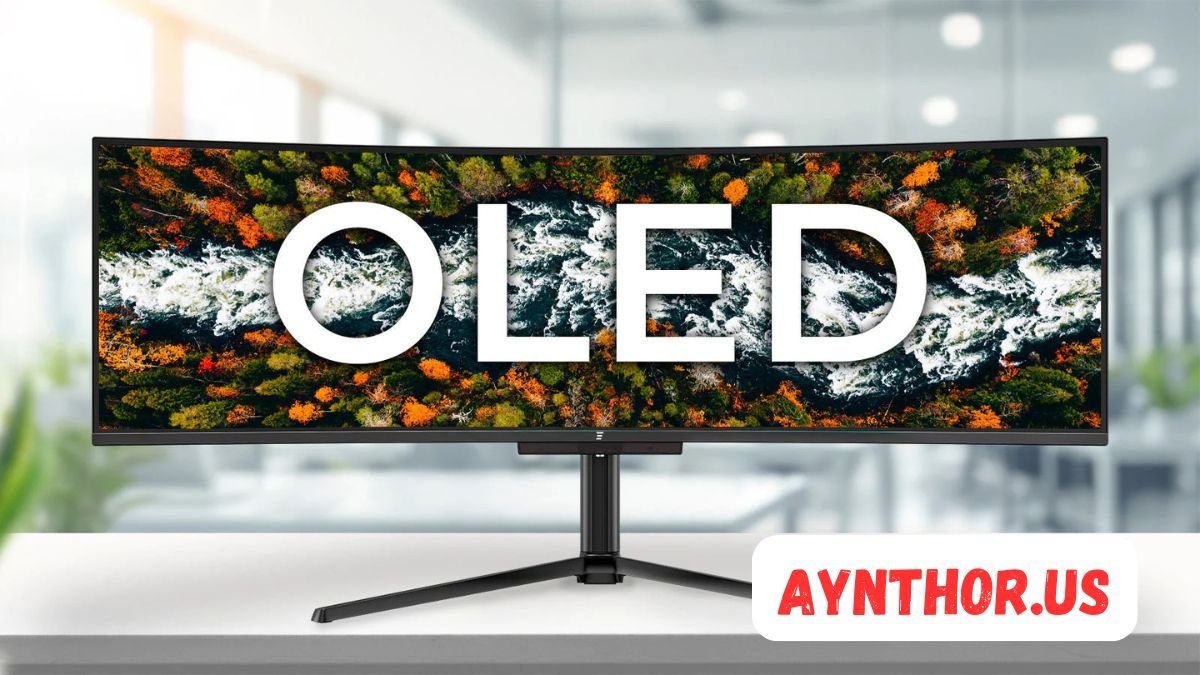
OLED Monitor: The Complete Guide to Stunning Display Technology
Introduction
An OLED monitor has become one of the most exciting display technologies available today. Whether you’re a competitive gamer, a creative professional, or someone who simply wants a better viewing experience, OLED displays have changed what people expect from modern monitors. Their ability to produce deep blacks, vibrant colors, and lightning-fast response times makes them stand out from traditional display technologies.
Over the past few years, OLED technology has become more affordable and more widely available. While it was once limited to premium televisions and expensive smartphones, many leading manufacturers now offer OLED monitors designed for gaming, professional editing, office work, and entertainment. As prices continue to become more competitive, more users are considering OLED as their next display upgrade.
Choosing the right monitor is no longer just about screen size or resolution. Display technology plays an equally important role in image quality, comfort, and long-term satisfaction. Understanding what makes an OLED monitor different helps buyers make a smarter investment while avoiding features they may never use.
This guide explores everything you need to know about OLED monitors, from how they work and why they’re popular to their strengths, weaknesses, and ideal use cases. By the end, you’ll have a clear understanding of whether an OLED monitor is the right choice for your setup.
What Is an OLED Monitor?
An OLED monitor is a display that uses Organic Light-Emitting Diodes to create images. Unlike traditional LCD monitors that rely on a separate backlight, every individual pixel on an OLED screen produces its own light. This allows the monitor to control brightness with incredible precision, resulting in much better contrast and true black levels.
When an OLED pixel needs to display black, it simply turns itself off completely. Since there is no light being emitted, the result is a perfectly black pixel instead of the dark gray appearance often seen on LCD panels. This difference dramatically improves image quality, especially in dark scenes, movies, and games.
Another important characteristic of an OLED monitor is its outstanding color reproduction. Each pixel emits its own colored light, making colors appear more vibrant, natural, and accurate. This level of color precision is especially valuable for photographers, graphic designers, video editors, and digital artists who rely on accurate visuals for their work.
OLED monitors are available in various sizes and resolutions. Popular models include 27-inch, 32-inch, 34-inch ultrawide, and even larger displays. Buyers can choose from Full HD, Quad HD (1440p), 4K, and ultrawide resolutions depending on their needs and budget.
Manufacturers continue improving OLED technology every year. Modern OLED monitors now feature higher refresh rates, better brightness, longer lifespan, and enhanced protection against burn-in, making them much more practical for everyday use than earlier generations.
How OLED Monitor Technology Works
Understanding how an OLED monitor functions helps explain why it delivers such impressive image quality. The core principle behind OLED technology is surprisingly simple. Instead of shining a backlight through layers of filters, every pixel contains organic materials that emit light when electricity passes through them.
Each OLED pixel consists of multiple subpixels that generate red, green, and blue light. By adjusting the brightness of these subpixels independently, the monitor can create millions of different colors. Since every pixel works independently, the display has complete control over every tiny portion of the screen.
This individual pixel control is responsible for OLED’s famous infinite contrast ratio. Bright objects remain bright while neighboring dark areas stay perfectly black because the pixels producing black are completely switched off. Traditional LCD monitors cannot achieve this because their backlights illuminate larger areas rather than individual pixels.
OLED technology also contributes to extremely fast pixel response times. Pixels change colors almost instantly, reducing motion blur and ghosting during fast-moving scenes. Competitive gamers particularly appreciate this advantage because it provides smoother gameplay and improved visual clarity during intense action.
Modern OLED monitors also include intelligent software that manages brightness, pixel shifting, and image maintenance routines. These built-in technologies help maintain consistent performance while reducing long-term wear on individual pixels.
As OLED manufacturing continues advancing, manufacturers are introducing new panel designs with improved brightness, energy efficiency, and durability. These improvements are making OLED monitors suitable for an even wider range of users.
OLED Monitor vs LCD, LED, and Mini-LED

Choosing between display technologies can be confusing because many marketing terms sound similar. Understanding the differences helps buyers determine which monitor best fits their needs.
Traditional LCD monitors use liquid crystals to block or allow light from a backlight positioned behind the panel. While modern LCD displays have improved significantly, they still cannot completely eliminate backlight leakage. As a result, black scenes often appear slightly gray rather than perfectly black.
LED monitors are actually LCD monitors that use LED lights as their backlight source. Many people mistakenly believe LED is a completely different display technology, but the image is still produced using liquid crystal layers. Although LED backlighting improves brightness and efficiency, it cannot match OLED’s pixel-level lighting control.
Mini-LED monitors represent one of the biggest improvements in LCD technology. Instead of a few large backlight zones, Mini-LED displays use thousands of tiny LEDs divided into many local dimming zones. This produces much better contrast than standard LCD panels, but blooming can still occur around bright objects because multiple pixels share the same lighting zone.
An OLED monitor avoids these limitations entirely because every pixel generates its own light independently. There are no dimming zones, no backlight bleeding, and virtually no blooming effects. This allows images to appear more realistic with incredible depth and clarity.
Color accuracy also differs significantly between these technologies. OLED monitors generally provide wider color gamuts and more consistent color reproduction across different viewing angles. Creative professionals often prefer OLED because the displayed colors remain stable even when viewed from the side.
Response time is another major advantage. While high-end LCD gaming monitors continue improving, OLED monitors still deliver some of the fastest response times available. This translates into smoother gameplay, reduced motion blur, and better overall responsiveness.
Brightness is one area where Mini-LED monitors sometimes outperform OLED models. Premium Mini-LED displays can sustain very high brightness levels for extended periods, making them ideal for extremely bright environments. However, OLED monitors continue closing this gap with each new generation.
Ultimately, each display technology has its own strengths. LCD remains affordable, Mini-LED offers impressive HDR performance, while OLED delivers the most balanced combination of contrast, speed, color quality, and overall image realism.
Major Benefits of an OLED Monitor
One of the biggest reasons people upgrade to an OLED monitor is the remarkable improvement in picture quality. The combination of self-lit pixels, perfect blacks, and exceptional color accuracy creates images that look more lifelike than most traditional displays.
Contrast is arguably OLED’s greatest strength. Since black pixels are completely turned off, bright highlights stand out dramatically against dark backgrounds. This creates an impressive sense of depth that enhances movies, games, photographs, and creative work.
Color reproduction is equally impressive. OLED monitors often support wide color gamuts such as DCI-P3 and Adobe RGB, allowing them to display a broader range of colors with excellent precision. Rich reds, deep blues, vibrant greens, and subtle gradients all appear more natural and realistic.
Viewing angles are another major advantage. Unlike many LCD panels that lose brightness or shift colors when viewed from the side, OLED monitors maintain excellent image quality from nearly every angle. This makes them ideal for collaborative workspaces or multi-monitor setups.
Motion handling is outstanding due to OLED’s near-instant pixel response times. Fast-moving objects remain sharp, making sports broadcasts, racing games, first-person shooters, and action movies much more enjoyable to watch.
HDR content also benefits significantly from OLED technology. High Dynamic Range relies heavily on strong contrast between bright and dark areas. Since OLED displays achieve perfect black levels, HDR scenes often appear dramatically more immersive than on conventional monitors.
Modern OLED monitors have also become more energy efficient than earlier generations. While power consumption depends on displayed content, ongoing improvements in panel design continue enhancing efficiency without sacrificing picture quality.
Another benefit is the sleek physical design. Without requiring a thick backlight, OLED monitors can be manufactured with incredibly thin panels, giving them a premium appearance that complements modern workspaces.
Why Gamers Love OLED Monitors
Gaming has become one of the biggest reasons consumers invest in an OLED monitor. Competitive players and casual gamers alike appreciate the unique advantages OLED technology brings to virtually every genre.
Perhaps the most noticeable improvement is response time. OLED pixels transition between colors incredibly quickly, often measured in fractions of a millisecond. This minimizes ghosting and motion blur, allowing fast-moving enemies and objects to remain crystal clear even during intense gameplay.
High refresh rates make OLED gaming monitors even more impressive. Many modern models support 120Hz, 144Hz, 165Hz, 240Hz, and even 360Hz refresh rates. Combined with OLED’s rapid response time, gameplay feels exceptionally smooth and responsive.
Input lag is also remarkably low. Every button press, mouse movement, and controller action appears almost instantly on the screen. Competitive gamers value this responsiveness because even tiny delays can influence performance in fast-paced multiplayer games.
Dark scenes benefit tremendously from OLED’s perfect black levels. Horror games become more atmospheric, stealth games reveal subtle shadows, and open-world adventures display incredible depth during nighttime environments. The added realism makes games feel more immersive than ever before.
HDR gaming reaches another level on OLED monitors. Explosions, sunlight, magical effects, and reflections appear brighter while dark caves and nighttime scenes remain perfectly black. This dramatic contrast enhances visual storytelling and overall immersion.
Color vibrancy also improves the gaming experience. Landscapes appear richer, character models look more detailed, and environmental effects become more visually striking. Developers often create games with HDR and wide color gamuts in mind, allowing OLED displays to showcase their artistic vision more accurately.
Many OLED gaming monitors support adaptive sync technologies like NVIDIA G-SYNC Compatible and AMD FreeSync Premium. These technologies synchronize the monitor’s refresh rate with the graphics card, eliminating screen tearing and reducing stuttering during gameplay.
Ultrawide OLED monitors have become especially popular among simulation enthusiasts. Racing games, flight simulators, and expansive RPGs feel more immersive thanks to the wider field of view and exceptional image quality.
Despite concerns about burn-in, modern gaming OLED monitors include numerous protective technologies that significantly reduce the risk during normal use. Features like pixel shifting, automatic brightness adjustments, logo detection, and panel refresh cycles help extend panel longevity.
As graphics cards continue becoming more powerful, OLED monitors are increasingly viewed as the ideal display technology for experiencing the latest games exactly as developers intended. Their combination of speed, contrast, color accuracy, and HDR performance creates one of the most visually impressive gaming experiences currently available.
OLED Monitor for Creative Professionals
An OLED monitor is not only built for gaming. It has also become one of the most desirable display options for photographers, graphic designers, video editors, 3D artists, and digital content creators. The impressive color accuracy and exceptional contrast help professionals produce work that looks consistent across multiple devices.
One of the biggest advantages for creative work is the ability to display highly accurate colors. Many premium OLED monitors support wide color spaces such as DCI-P3, Adobe RGB, and sRGB with factory calibration. This allows editors to work confidently without constantly worrying about inaccurate colors affecting the final product.
Professional video editors especially appreciate OLED displays because they can clearly distinguish subtle details in shadows and highlights. Whether editing a cinematic film, YouTube content, or commercial advertisements, accurate black levels make color grading significantly easier.
Graphic designers also benefit from OLED technology. Logos, illustrations, typography, and branding materials appear sharper with excellent contrast. Fine gradients remain smooth without noticeable banding, making design work feel more polished.
Photographers often spend hours editing RAW images, adjusting exposure, contrast, and white balance. An OLED monitor makes these adjustments easier because it displays realistic colors and deep shadows with remarkable precision. This helps photographers produce images that closely match their creative vision.
Another advantage is viewing angle consistency. During client presentations or collaborative editing sessions, everyone looking at the screen sees nearly identical colors regardless of where they are sitting. This improves communication and reduces confusion during creative reviews.
Although professional OLED monitors generally cost more than standard LCD displays, many creators consider them a worthwhile investment because accurate visuals directly affect the quality of their work.
OLED Monitor for Everyday Productivity
While OLED monitors are often marketed toward gamers and professionals, they also provide an enjoyable experience for everyday office work and general productivity. Reading documents, browsing websites, managing spreadsheets, and participating in virtual meetings all benefit from OLED’s sharp image quality.
Text appears crisp and highly readable on high-resolution OLED monitors. Modern models feature improved subpixel layouts that enhance font clarity compared to early OLED displays. As a result, long writing sessions become more comfortable.
Office workers who spend several hours each day in front of a monitor appreciate the vibrant yet natural-looking display. Documents have excellent contrast, making black text stand out clearly against white backgrounds. This improves readability while reducing visual fatigue for many users.
Multitasking becomes easier on larger OLED displays. A 32-inch 4K OLED monitor or an ultrawide model provides plenty of workspace for keeping multiple applications open simultaneously. Professionals can comfortably manage emails, spreadsheets, browsers, messaging apps, and documents without constantly switching windows.
Remote workers also benefit from OLED displays during video conferences. Built-in USB hubs, high-resolution panels, and outstanding image quality create a more professional workspace while making daily tasks more enjoyable.
Many OLED monitors include ergonomic stands that support height adjustment, tilt, swivel, and pivot functions. These adjustments help users maintain proper posture during long work sessions while improving overall comfort.
Although productivity users may not fully utilize OLED’s gaming capabilities, they still enjoy premium image quality that makes everyday computing feel more modern and visually appealing.
OLED Monitor Screen Sizes and Resolutions
Choosing the correct size is just as important as selecting the right display technology. Fortunately, OLED monitors are now available in a variety of screen sizes that suit different types of users.
The 27-inch OLED monitor has become one of the most popular choices. It offers an excellent balance between screen space and desk compatibility while pairing perfectly with 1440p resolution. Many competitive gamers prefer this size because everything remains within their field of view.
For users seeking additional workspace, 32-inch OLED monitors provide more room for multitasking while taking full advantage of 4K resolution. Creative professionals often choose this size because it offers incredible detail when editing high-resolution photos and videos.
Ultrawide OLED monitors ranging from 34 to 49 inches have also gained significant popularity. These displays replace dual-monitor setups by offering one continuous workspace without distracting bezels. They are particularly useful for programming, financial trading, simulation games, and video editing.
Resolution also plays a major role in image quality. Full HD remains the most affordable option, but Quad HD has become the sweet spot for many users because it balances sharp visuals with manageable graphics card requirements.
4K OLED monitors deliver exceptional image clarity. Text becomes razor-sharp, images contain incredible detail, and creative professionals gain additional workspace for editing complex projects. However, running modern games at 4K often requires a powerful graphics card.
Refresh rate should also be considered alongside resolution. Buyers should choose a combination that matches their computer hardware, ensuring smooth performance without overspending on specifications they may not fully utilize.
Refresh Rate and Response Time Explained
Refresh rate and response time are two specifications that significantly influence the overall experience of using an OLED monitor. While they are often discussed together, they measure completely different aspects of display performance.
Refresh rate refers to how many times the monitor updates the image every second. A standard 60Hz monitor refreshes sixty times per second, while a 240Hz monitor refreshes two hundred forty times each second. Higher refresh rates create noticeably smoother motion.
Many modern OLED monitors support refresh rates of 120Hz, 144Hz, 165Hz, 240Hz, and even higher. This makes scrolling webpages smoother, navigating the desktop more responsive, and gaming considerably more fluid.
Response time measures how quickly individual pixels change from one color to another. OLED technology excels here because pixels respond almost instantly. This minimizes ghosting, trailing, and motion blur that sometimes appear on slower LCD panels.
Fast response times improve far more than gaming. Watching sports, action movies, and fast-moving video content becomes more enjoyable because moving objects remain clear instead of appearing blurry.
Competitive gamers especially value this combination of high refresh rates and rapid response times. First-person shooters, racing games, and esports titles feel incredibly responsive, allowing players to react more quickly to on-screen action.
For general users, the difference may not seem dramatic initially. However, after spending time with a high-refresh OLED monitor, returning to a standard 60Hz display often feels noticeably less smooth.
OLED Monitor HDR Performance

High Dynamic Range has become one of the most talked-about display features in recent years, and OLED monitors showcase HDR exceptionally well. HDR expands the difference between bright highlights and dark shadows, producing images that appear more realistic.
The greatest strength of OLED HDR lies in its perfect black levels. Since individual pixels can turn completely off, bright highlights stand out against genuinely black backgrounds. This creates remarkable depth that standard displays struggle to reproduce.
Movies mastered in HDR look spectacular on OLED displays. Fireworks, sunsets, city lights, reflections, and explosions appear more vibrant while preserving fine details in darker scenes. This results in a cinematic viewing experience that closely resembles professional mastering monitors.
Video games also benefit enormously from HDR. Modern titles increasingly support HDR effects that enhance environmental lighting, weather systems, and visual realism. OLED monitors display these effects with outstanding contrast and impressive color richness.
Streaming services now offer large libraries of HDR content. Watching HDR-supported movies and television shows on an OLED monitor provides a noticeable improvement over standard dynamic range content, especially in darker scenes.
While some Mini-LED monitors achieve higher peak brightness, OLED often delivers a more balanced HDR experience because of its unmatched contrast ratio. The combination of vibrant colors, deep blacks, and precise lighting creates exceptional visual quality.
To enjoy HDR fully, users should ensure that both their monitor and operating system are properly configured. Many monitors include dedicated HDR modes optimized for gaming, movies, or creative work.
OLED Monitor Connectivity Options
Modern OLED monitors include numerous connectivity options designed to support today’s computers, gaming consoles, and productivity devices. Understanding available ports helps buyers choose a monitor that fits both current and future needs.
HDMI remains one of the most common connections. Many premium OLED monitors include HDMI 2.1, which supports high resolutions and refresh rates while enabling advanced gaming features for modern consoles.
DisplayPort is another widely used connection, especially among PC gamers. DisplayPort typically offers excellent bandwidth for high refresh rates, adaptive sync technologies, and high-resolution gaming.
USB-C has become increasingly valuable in productivity-focused OLED monitors. A single USB-C cable can carry video, data, and power simultaneously, simplifying laptop docking setups while reducing cable clutter.
Some monitors also include built-in USB hubs that allow users to connect keyboards, mice, external drives, webcams, and other accessories directly to the display. This creates a cleaner and more organized workspace.
Audio connectivity remains useful despite many users preferring headphones or external speakers. Some OLED monitors include headphone jacks, integrated speakers, or audio pass-through capabilities for added convenience.
KVM switches are another premium feature appearing in high-end OLED monitors. These allow users to control multiple computers using one keyboard and mouse, making them especially useful for professionals managing both work and personal systems.
Before purchasing an OLED monitor, buyers should verify compatibility with their graphics card, laptop, or gaming console to ensure they can fully utilize the monitor’s capabilities.
OLED Monitor Design and Build Quality
Beyond display performance, OLED monitors often feature premium industrial design that complements modern workspaces and gaming setups. Manufacturers invest heavily in aesthetics because many buyers expect flagship displays to look as impressive as they perform.
Most OLED monitors have extremely thin panels thanks to the absence of a traditional backlight. This creates an elegant appearance that immediately distinguishes them from thicker LCD monitors.
Build quality has also improved considerably. Premium materials such as aluminum, reinforced plastics, and durable stands contribute to better stability while enhancing the monitor’s premium feel.
Many gaming-oriented OLED monitors feature aggressive styling with customizable RGB lighting, while professional models focus on clean, minimalist designs suitable for office environments.
Cable management systems built into monitor stands help reduce desktop clutter. Hidden routing channels allow power cables, display cables, and USB connections to remain organized and out of sight.
Ergonomic adjustments continue to improve across premium OLED models. Height adjustment, tilt, swivel, and portrait rotation allow users to create a comfortable viewing position that reduces neck and shoulder strain during extended use.
VESA mounting compatibility gives buyers additional flexibility by allowing monitors to be attached to monitor arms or wall mounts, creating cleaner workspaces and improving ergonomic positioning.
As OLED technology continues evolving, manufacturers are combining exceptional display quality with increasingly refined physical designs that suit both home offices and professional studios.
OLED Monitor Lifespan and Burn-In Concerns
One of the first questions many buyers ask before purchasing an OLED monitor is whether the display will suffer from burn-in. This concern has existed since the early days of OLED technology, but modern panels have made significant improvements that greatly reduce the risk during normal use.
Burn-in happens when a static image remains on the screen for a very long time, causing certain pixels to wear unevenly. Elements such as taskbars, company logos, or game HUDs that stay in the same position for thousands of hours can potentially leave a faint permanent image. However, this usually requires extreme usage patterns rather than ordinary daily use.
Today’s OLED monitors include several intelligent protection features. Pixel shifting moves the image by a tiny amount that is nearly impossible for users to notice but helps distribute pixel wear more evenly. Pixel refresh cycles automatically maintain uniformity, while logo detection reduces the brightness of static elements over time.
Manufacturers have also developed better organic materials that last much longer than earlier OLED generations. Improved panel construction and smarter software management contribute to increased durability without sacrificing picture quality.
For most users who browse the web, play games, watch movies, edit content, and perform office work, burn-in is unlikely to become a serious issue. Simply varying displayed content, enabling built-in protection features, and allowing automatic maintenance cycles to complete can significantly extend the monitor’s lifespan.
Many premium OLED monitors are designed to provide years of reliable performance, making them a practical investment for both gaming and professional use.
OLED Monitor Power Efficiency
Power consumption is another important factor when comparing display technologies. Since an OLED monitor allows each pixel to generate its own light, its energy usage depends on the content being displayed rather than operating at a fixed backlight level.
Dark scenes generally consume less power because many pixels are completely turned off. Users who prefer dark mode in Windows, creative applications, or websites may notice slightly improved energy efficiency compared to bright interfaces.
Bright white screens require more power because nearly every pixel is producing light simultaneously. Activities such as working with large spreadsheets or reading documents on white backgrounds may increase power usage compared to watching darker video content.
Modern OLED panels have become considerably more efficient through improved manufacturing techniques and smarter power management. Manufacturers continue optimizing brightness algorithms to provide excellent image quality while minimizing unnecessary energy consumption.
Many monitors also include eco modes that automatically adjust brightness according to ambient lighting conditions. These settings help reduce electricity usage without noticeably affecting the viewing experience.
Although exact power consumption varies between models, most buyers will find that modern OLED monitors are efficient enough for everyday use while delivering premium visual performance.
How to Maintain an OLED Monitor
Proper maintenance helps preserve image quality and maximize the lifespan of an OLED monitor. Fortunately, caring for an OLED display is relatively simple and requires only a few good habits.
Keeping automatic maintenance features enabled is one of the most important recommendations. Pixel refresh routines, compensation cycles, and panel maintenance programs are specifically designed to keep the display performing consistently over time.
Using screen savers or allowing the monitor to enter sleep mode when left idle prevents static images from remaining on the display for extended periods. This small habit contributes to healthier pixel usage over the long term.
Adjusting brightness appropriately also helps. Running maximum brightness continuously is unnecessary for many indoor environments. Choosing a comfortable brightness level not only improves eye comfort but may also reduce long-term panel wear.
Cleaning the monitor should be done carefully. A soft microfiber cloth is usually sufficient for removing fingerprints and dust. If additional cleaning is needed, slightly dampening the cloth with distilled water is generally safer than spraying liquids directly onto the display.
Users should also avoid placing pressure on the screen during cleaning because OLED panels are thinner than many traditional displays. Gentle cleaning techniques help maintain the display’s pristine condition.
By following these simple practices, owners can enjoy outstanding image quality for many years while minimizing unnecessary wear on the display.
Who Should Buy an OLED Monitor?
An OLED monitor is an excellent choice for users who prioritize exceptional image quality above everything else. If vibrant colors, deep contrast, and incredibly smooth motion are high on your list, OLED deserves serious consideration.
Competitive gamers are among the biggest beneficiaries. Fast response times, high refresh rates, low input lag, and immersive HDR performance combine to create one of the best gaming experiences currently available.
Creative professionals also gain tremendous value from OLED technology. Accurate colors, excellent shadow detail, and consistent viewing angles make tasks such as photo editing, color grading, animation, and graphic design more precise.
Movie enthusiasts will appreciate the cinematic viewing experience. Perfect blacks dramatically improve dark scenes, while HDR content looks remarkably realistic thanks to OLED’s outstanding contrast capabilities.
Technology enthusiasts who simply enjoy premium hardware often consider OLED a worthwhile upgrade because every interaction with the computer feels more visually impressive.
However, buyers primarily focused on affordability may still find high-quality IPS or Mini-LED monitors more suitable. OLED remains a premium technology, although prices continue becoming more competitive each year.
Ultimately, the ideal buyer is someone who values display quality enough to justify the higher investment.
Common Mistakes When Buying an OLED Monitor
Many first-time buyers focus only on screen size without considering other specifications. Resolution, refresh rate, connectivity, brightness, and warranty are equally important factors that influence the overall experience.
Another common mistake is purchasing a monitor with specifications that exceed the capabilities of the computer. For example, buying a 4K 240Hz OLED monitor while using an entry-level graphics card may prevent users from fully utilizing the display.
Some buyers overlook connectivity requirements. Ensuring compatibility with HDMI 2.1, DisplayPort, or USB-C before purchasing prevents unnecessary frustration during setup.
Ignoring ergonomic features can also lead to discomfort. Adjustable stands, VESA mounting support, and proper screen positioning contribute significantly to long-term comfort during extended work sessions.
Failing to understand HDR certifications is another frequent mistake. Different monitors deliver varying HDR performance, so researching brightness levels, contrast capabilities, and certification standards helps set realistic expectations.
Some users unnecessarily worry about burn-in while ignoring the numerous protective technologies included in modern OLED monitors. Understanding how current OLED panels operate helps buyers make informed decisions based on real-world usage rather than outdated concerns.
Researching reviews, comparing specifications, and identifying personal priorities before purchasing helps ensure greater long-term satisfaction.
The Future of OLED Monitor Technology
OLED technology continues evolving rapidly, and future monitors promise even greater improvements in performance, brightness, efficiency, and durability.
Manufacturers are investing heavily in next-generation OLED materials capable of producing higher brightness while maintaining excellent energy efficiency. These developments will improve HDR performance and outdoor visibility.
New production methods are also helping reduce manufacturing costs. As production scales increase, OLED monitors are expected to become more affordable for mainstream consumers.
Artificial intelligence is beginning to influence display technology as well. Future OLED monitors may intelligently optimize brightness, color balance, and power consumption based on displayed content and surrounding lighting conditions.
Gaming features will continue advancing through even higher refresh rates, lower latency, and better synchronization technologies. Competitive players can expect increasingly responsive displays that complement future graphics hardware.
Creative professionals may benefit from expanded color accuracy, improved calibration tools, and higher-resolution OLED panels designed specifically for demanding workflows.
Flexible OLED technology could eventually influence desktop monitor designs, opening possibilities for curved, foldable, or modular displays that adapt to different usage scenarios.
As innovation continues, OLED monitors are likely to remain among the most advanced display technologies available for both professionals and enthusiasts.
Final Thoughts
An OLED monitor represents one of the most significant advancements in display technology available today. Its combination of self-lit pixels, perfect black levels, exceptional contrast, outstanding color accuracy, and nearly instant response times delivers an experience that traditional display technologies struggle to match.
Whether you’re playing competitive games, editing professional photographs, creating videos, watching HDR movies, or simply browsing the web, an OLED monitor enhances nearly every visual task. The difference becomes immediately noticeable, especially when viewing high-quality content designed to showcase modern displays.
Although OLED monitors remain a premium investment, they offer tremendous value for users who prioritize image quality and long-term satisfaction. Continued improvements in manufacturing, durability, brightness, and burn-in protection have made them far more practical than earlier generations.
Before making a purchase, consider your available budget, preferred screen size, computer hardware, and primary usage. Matching the monitor’s specifications to your actual needs ensures you receive the greatest benefit from your investment.
As OLED technology continues becoming more accessible, it is likely to play an even larger role in the future of gaming, professional content creation, and everyday computing. For many users, upgrading to an OLED monitor is not simply buying a new display—it’s transforming the entire viewing experience.
FAQs
What is an OLED monitor?
An OLED monitor uses self-lit pixels to produce exceptional contrast, vibrant colors, and true black levels.
Is an OLED monitor good for gaming?
Yes, OLED monitors offer ultra-fast response times, high refresh rates, and excellent HDR performance for gaming.
Can an OLED monitor get burn-in?
Modern OLED monitors include multiple protection features that greatly reduce burn-in during normal use.
Are OLED monitors worth the price?
Yes, if you value superior image quality, color accuracy, and smooth performance, they are worth the investment.
Is OLED better than IPS?
OLED generally delivers better contrast, deeper blacks, and faster response times, while IPS often costs less.
How long does an OLED monitor last?
A quality OLED monitor can last many years with proper care and normal daily usage.
Are OLED monitors good for office work?
Yes, they provide sharp text, excellent colors, and comfortable viewing for productivity tasks.
Which resolution is best for an OLED monitor?
1440p is excellent for gaming, while 4K is ideal for creative work and maximum image detail.
Do OLED monitors support HDR?
Yes, most modern OLED monitors provide outstanding HDR performance with exceptional contrast.
Should I buy an OLED monitor in 2026?
Yes, OLED monitors have become more mature, reliable, and feature-rich, making them an excellent choice in 2026.
Also read: Steam Deck 2: Everything You Need to Know About Valve’s Next-Generation Handheld Gaming Console













Post Comment