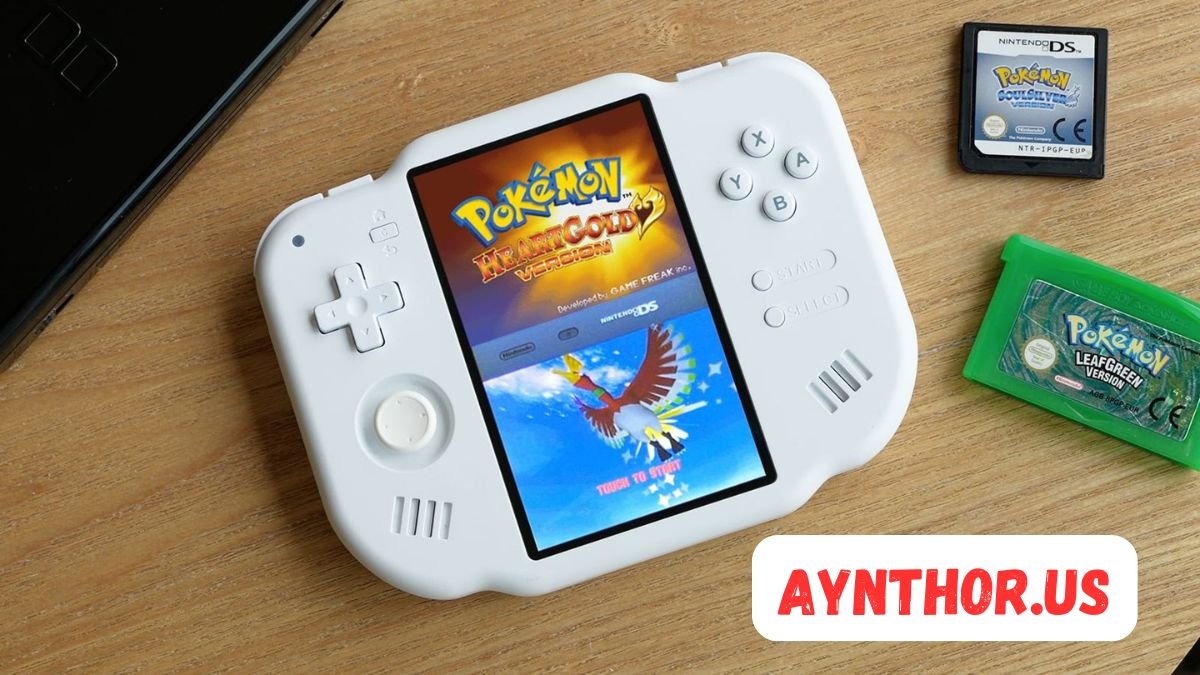
MagicX Zero 40: The Complete Guide to Features, Performance, Design, and Retro Gaming Experience
Introduction
The MagicX Zero 40 is one of the newest handheld gaming devices designed for people who love retro gaming. Over the past few years, handheld gaming consoles have become increasingly popular because they allow players to enjoy classic games anywhere. Whether you grew up playing arcade games, old Nintendo titles, PlayStation classics, or Sega favorites, the MagicX Zero 40 aims to bring all those memories back in one compact device.
Retro handheld consoles have improved significantly in recent years. They are no longer simple devices with limited performance. Instead, modern handhelds include powerful processors, bright displays, long-lasting batteries, customizable software, and support for multiple gaming systems. The MagicX Zero 40 enters this competitive market with a balanced combination of performance, portability, and affordability.
If you’re searching for a handheld emulator that delivers smooth gameplay without costing as much as premium gaming devices, the MagicX Zero 40 deserves your attention. Throughout this guide, you’ll learn everything about the MagicX Zero 40, including its hardware, design, gaming capabilities, software features, strengths, weaknesses, and whether it’s worth buying.
What Is the MagicX Zero 40?
The MagicX Zero 40 is a dedicated retro gaming handheld created specifically for classic game lovers. Instead of focusing on modern AAA games, this handheld is optimized to emulate older gaming consoles, allowing users to carry thousands of nostalgic games in their pocket.
Unlike smartphones, which often require additional controllers and complicated emulator setups, the MagicX Zero 40 offers an all-in-one solution. Simply load your games onto a microSD card, power on the device, and start playing. Everything is designed around convenience and ease of use.
The growing popularity of retro gaming has encouraged manufacturers to produce handheld consoles that combine modern hardware with classic gaming experiences. The MagicX Zero 40 follows this philosophy by providing strong performance, comfortable controls, and software flexibility while maintaining an attractive price point.
Why the MagicX Zero 40 Is Gaining Attention
One of the biggest reasons the MagicX Zero 40 has attracted attention is the increasing demand for portable retro gaming. Many gamers want a device dedicated entirely to gaming instead of using their phones, where notifications and battery concerns interrupt gameplay.
Another reason is the excellent balance between affordability and performance. While premium handhelds often cost several hundred dollars, the MagicX Zero 40 aims to deliver enjoyable gaming without requiring a large investment. This makes it appealing for beginners entering the retro gaming community as well as experienced collectors looking for another capable handheld.
The MagicX community also continues to grow. Users frequently share custom firmware, optimized emulator settings, themes, performance tweaks, and gaming recommendations. A growing community often means better long-term support, making devices like the MagicX Zero 40 even more valuable over time.
Design and Build Quality
The first thing most users notice about the MagicX Zero 40 is its clean, modern appearance. Instead of copying the exact design of older handheld consoles, it combines retro inspiration with a fresh look that feels contemporary. The result is a device that appeals to both longtime gamers and newcomers.
Its lightweight construction makes it comfortable to carry throughout the day. Whether you’re traveling, commuting, or relaxing at home, the handheld easily fits into a backpack or even a larger pocket. Portability is one of its biggest strengths because it’s designed to be ready whenever you want to play.
Despite being lightweight, the MagicX Zero 40 doesn’t feel cheap. The plastic shell is sturdy, the buttons have minimal wobble, and the overall construction feels durable enough for regular daily use. While it’s always wise to use a protective case, the handheld appears capable of handling normal wear without major issues.
Comfort During Long Gaming Sessions
Comfort plays a major role in handheld gaming. A powerful device means very little if it becomes uncomfortable after twenty minutes of gameplay. Fortunately, the MagicX Zero 40 appears to prioritize ergonomics.
The rounded edges help reduce pressure on your hands, allowing longer gaming sessions with less fatigue. Players who enjoy RPGs or lengthy adventure games will appreciate the comfortable grip during extended play.
Button placement also contributes to comfort. The directional pad, face buttons, shoulder buttons, and analog controls are positioned within easy reach, minimizing unnecessary hand movement. This thoughtful layout improves gameplay during both casual and competitive retro titles.
Build Materials and Durability
Although premium handhelds sometimes use metal shells, the MagicX Zero 40 relies primarily on high-quality plastic construction. This choice helps reduce overall weight while keeping manufacturing costs reasonable.
The surface texture offers enough grip to prevent accidental slipping during gameplay. Fingerprints are less noticeable than on glossy handhelds, helping the device maintain a cleaner appearance over time.
Normal daily use should not present durability concerns. The buttons are designed for thousands of presses, and the overall body resists small scratches reasonably well. Using a carrying case and screen protector can further increase the lifespan of the MagicX Zero 40.
Display Quality
A handheld gaming device is only as enjoyable as its display. The MagicX Zero 40 focuses on delivering vibrant visuals suitable for classic games while maintaining sharp image quality.
Retro games often rely on colorful pixel art. A high-quality display helps preserve those original visuals while enhancing clarity. Characters, menus, and environments appear more detailed than they did on many original gaming systems.
Brightness levels are suitable for indoor gaming and acceptable in shaded outdoor environments. While direct sunlight may reduce visibility—as is common with most handheld displays—the screen remains comfortable for everyday use.
Color Accuracy and Viewing Angles
One area where modern handhelds outperform classic gaming systems is display technology. The MagicX Zero 40 benefits from improved color reproduction, making classic games look more vibrant without losing their nostalgic charm.
Viewing angles are also impressive. Whether you’re holding the device directly or slightly tilted, colors remain consistent with minimal fading. This becomes especially useful when sharing gameplay with friends.
Contrast levels help darker scenes remain visible without crushing detail. Horror games, platformers, and RPGs all benefit from improved visual clarity compared to older LCD technologies.
Screen Resolution and Sharpness
The display resolution offers enough detail to keep retro games looking crisp. Pixel-based artwork appears clean, while text remains easy to read across supported gaming systems.
Scaling older games can sometimes introduce blur, but the MagicX Zero 40 handles image processing effectively. Various emulator settings also allow users to choose between authentic pixel-perfect visuals and smoother scaling options.
Many retro gaming enthusiasts appreciate having these customization choices because every player has different preferences regarding image presentation.
Hardware Specifications
Under the hood, the MagicX Zero 40 includes hardware specifically selected for retro game emulation. Instead of chasing maximum benchmark numbers, the focus is on delivering stable gaming performance across many classic platforms.
The processor provides enough power for a wide variety of retro consoles while maintaining efficient battery usage. This balance ensures enjoyable gameplay without generating excessive heat.
Memory capacity is also sufficient for multitasking within the operating system, switching between emulators, and navigating menus without frustrating slowdowns. Everyday performance feels responsive, making the handheld pleasant to use.
Processing Power
The processor inside the MagicX Zero 40 plays the biggest role in determining which gaming systems can be emulated smoothly. Modern ARM processors have become remarkably capable while remaining energy efficient.
Older systems such as NES, SNES, Game Boy, Game Boy Advance, Sega Genesis, Neo Geo, PC Engine, and many arcade boards require relatively little processing power. The MagicX Zero 40 handles these systems comfortably.
More demanding platforms naturally require additional optimization, but the hardware still provides enough performance to satisfy most retro gaming enthusiasts looking for a versatile handheld.
RAM and Multitasking
Adequate RAM helps the operating system remain responsive while loading games, saving progress, switching emulators, and browsing menus.
The MagicX Zero 40 benefits from sufficient memory allocation, allowing users to navigate without constant delays or freezing. This creates a smoother overall experience even outside actual gameplay.
Save states, screenshots, emulator settings, and menu navigation all feel faster when supported by adequate RAM, contributing to a polished user experience.
Cooling and Thermal Management
Handheld gaming devices generate heat during extended sessions. Effective thermal management helps maintain stable performance while protecting internal components.
The MagicX Zero 40 is designed with efficient cooling in mind. Because retro emulation generally consumes less power than modern gaming, temperatures remain comfortable during normal use.
Even after longer gaming sessions, the handheld avoids becoming excessively hot. This not only improves comfort but also helps maintain consistent performance without thermal throttling.
Gaming Performance
Gaming performance ultimately determines whether a retro handheld succeeds. Fortunately, the MagicX Zero 40 performs well across many classic gaming platforms.
Older 8-bit and 16-bit consoles run exceptionally smoothly. Players can enjoy classic Mario adventures, Sonic games, Pokémon titles, Mega Man, Castlevania, Contra, Final Fantasy, Chrono Trigger, and countless other legendary games with excellent performance.
Input latency remains low enough that action games feel responsive. Fast-paced platformers, fighting games, and shooters benefit greatly from accurate controls and minimal delay between button presses and on-screen actions.
Performance Across Popular Systems
The MagicX Zero 40 comfortably supports many popular retro systems. These include Nintendo Entertainment System, Super Nintendo, Game Boy, Game Boy Color, Game Boy Advance, Sega Master System, Sega Genesis, Game Gear, Neo Geo Pocket, WonderSwan, Atari consoles, and numerous arcade systems.
PlayStation 1 titles generally provide an enjoyable experience, allowing players to revisit many iconic classics from the late 1990s.
Performance naturally varies depending on emulator optimization and individual game requirements, but overall compatibility is strong enough to satisfy the majority of retro gamers.
Save States and Fast Loading
Modern emulator features greatly improve the retro gaming experience. Instead of relying solely on original save systems, the MagicX Zero 40 supports save states for compatible emulators.
Save states allow players to pause progress at virtually any moment. This is especially useful in older games that originally lacked automatic saving or featured difficult checkpoints.
Fast loading times further improve convenience. Games launch quickly, menus respond smoothly, and switching between titles takes only a few moments. These modern quality-of-life improvements make retro gaming more enjoyable than ever.
Controls and Ergonomics
The controls are one of the most important parts of any handheld gaming device, and the MagicX Zero 40 delivers an experience that feels satisfying from the very first game. Whether you’re playing a fast-paced platformer or a slower role-playing game, the controls are designed to respond quickly and accurately.
The directional pad is built with retro gaming in mind. It provides precise movement without feeling too stiff or too loose. Games that require exact directional inputs, such as fighting games or classic platformers, benefit greatly from a well-designed D-pad. Players who enjoy titles from the NES, SNES, Sega Genesis, or Game Boy Advance will immediately appreciate its responsiveness.
The face buttons offer a comfortable amount of travel and a satisfying click. Each press feels consistent, helping players perform combos, jumps, and attacks without accidental inputs. Since retro games often rely on quick reactions, dependable buttons can make a noticeable difference in gameplay.
Shoulder Buttons and Analog Sticks
Modern retro handhelds often include shoulder buttons to improve compatibility with later gaming systems. The MagicX Zero 40 follows this trend by providing shoulder buttons that are easy to reach without forcing your hands into uncomfortable positions.
Their placement feels natural during long gaming sessions. Racing games, PlayStation titles, and shooters that rely on shoulder buttons become much more enjoyable because your fingers do not need to stretch excessively.
If the MagicX Zero 40 includes analog sticks depending on the model configuration, they offer additional flexibility for supported games. The analog movement feels smooth and controlled, making it useful for systems like PlayStation and certain ports that benefit from analog input rather than digital controls.
Comfortable for Long Sessions
Gaming for several hours can quickly reveal whether a handheld has been designed properly. Fortunately, the MagicX Zero 40 remains comfortable even during extended sessions.
Its balanced weight distribution helps reduce wrist fatigue. Instead of feeling heavy at one end, the device sits evenly in both hands, making it easier to maintain a relaxed grip.
The textured surface also improves grip security. Even after extended play, your hands are less likely to slip, allowing you to stay focused on the game rather than constantly adjusting your grip.
Operating System and User Interface
A powerful handheld needs software that is just as polished as its hardware. The MagicX Zero 40 features a user-friendly operating system designed specifically for retro gaming.
After turning on the device, users are greeted with a clean interface that organizes games by console. Instead of searching through complicated folders, players can simply select their favorite gaming system and begin browsing their library.
Navigation feels smooth and responsive. Menus load quickly, settings are logically organized, and switching between games takes very little time. This creates an enjoyable experience for both beginners and experienced emulator users.
Easy Navigation
The menu layout is intentionally simple. Large icons, readable text, and organized categories make it easy to locate games, emulators, settings, and save files.
Even users who have never owned a retro handheld before can learn the interface within minutes. There is very little confusion because everything is presented in a logical manner.
Search functions, recently played games, favorite lists, and game collections further improve usability, allowing players to access frequently played titles without browsing their entire library.
Emulator Integration
One of the strengths of the MagicX Zero 40 is its emulator integration. Instead of requiring users to install multiple applications manually, most emulators work together under a unified interface.
This creates a seamless experience. Players simply choose a game, and the correct emulator launches automatically in the background.
Each emulator also includes customizable settings, allowing users to adjust graphics, audio, controls, shaders, aspect ratios, save states, and performance options according to their personal preferences.
Customization Options
Retro gaming enthusiasts enjoy personalizing their handhelds, and the MagicX Zero 40 provides plenty of opportunities to do exactly that.
Users can change themes, wallpapers, menu layouts, icon styles, and display preferences. Some firmware options even allow animated menus and customized startup screens.
Control mapping is another useful feature. Every player has different preferences, so being able to remap buttons helps improve comfort across different gaming systems.
Storage and Expandability
Storage flexibility is essential for retro handhelds because game collections can become surprisingly large. The MagicX Zero 40 addresses this need by supporting expandable storage through microSD cards.
This allows users to carry thousands of classic games without worrying about running out of space. Whether your library contains arcade titles, RPGs, racing games, or platformers, expandable storage provides plenty of room.
Managing storage is also straightforward. Games can be organized into folders based on gaming systems, genres, or personal collections, making it easier to browse extensive libraries.
Internal Storage
Depending on the specific version, the MagicX Zero 40 may include internal storage for the operating system and essential files.
Keeping the operating system separate from game storage offers several advantages. Firmware updates become easier, and users can replace or upgrade their game library without affecting the system software.
Internal storage also contributes to faster boot times and smoother menu navigation.
MicroSD Card Support
Expandable storage remains one of the biggest advantages of dedicated retro handhelds. The MagicX Zero 40 supports high-capacity microSD cards, giving users considerable flexibility.
Large storage cards make it possible to organize collections from multiple gaming systems in one convenient location. Instead of swapping cards constantly, many players prefer keeping their entire retro collection together.
Using high-quality microSD cards also improves loading performance while reducing the likelihood of file corruption.
Managing Large Game Libraries
As retro collections grow, organization becomes increasingly important. Fortunately, the MagicX Zero 40 provides useful tools for managing large libraries.
Players can sort games alphabetically, by console, by favorites, or by recently played titles. Box art and metadata support further improve browsing by displaying cover images alongside game names.
These organizational features help transform large collections into clean, visually appealing libraries that are enjoyable to browse.
Emulator Performance
The primary purpose of the MagicX Zero 40 is retro game emulation, and overall performance meets the expectations of most classic gaming enthusiasts.
Older consoles require relatively little processing power, allowing the handheld to deliver consistently smooth gameplay. Popular systems from the 1980s and 1990s generally perform extremely well.
Frame rates remain stable in most compatible games, while audio synchronization stays accurate enough to preserve the original gaming experience.
NES, SNES, and Game Boy Performance
Nintendo’s earliest gaming systems are among the easiest to emulate, and the MagicX Zero 40 handles them effortlessly.
NES games launch almost instantly and maintain full-speed performance. Classic titles such as Super Mario Bros., Mega Man, Contra, and Zelda play exactly as players would expect.
Super Nintendo games also perform very well. Whether you’re exploring RPGs, action games, or platformers, gameplay remains smooth while preserving accurate sound and graphics.
Game Boy, Game Boy Color, and Game Boy Advance libraries are equally impressive. Pokémon, Metroid, Castlevania, Fire Emblem, and countless other classics run comfortably with excellent compatibility.
Sega and Arcade Performance
Fans of Sega consoles will find plenty to enjoy on the MagicX Zero 40. Master System, Genesis, Game Gear, and many Sega arcade titles perform reliably.
Fast-paced games like Sonic the Hedgehog benefit from low input latency and stable frame rates, making gameplay feel responsive.
Arcade emulation is another highlight. Many classic arcade games load quickly and run smoothly, allowing players to experience coin-operated favorites without needing original hardware.
PlayStation Performance
Original PlayStation emulation is one of the biggest reasons many gamers purchase modern retro handhelds. Fortunately, the MagicX Zero 40 performs well with a large portion of the PlayStation library.
Popular RPGs, racing games, fighting games, and adventure titles generally provide enjoyable gameplay. Improved loading speeds and save state functionality make these classics even more convenient than they were on the original console.
Some particularly demanding PlayStation games may require emulator adjustments for the best performance, but overall compatibility is impressive for a handheld in this category.
Battery Life
Battery performance greatly influences the usefulness of any portable gaming device. A powerful handheld means little if it constantly needs recharging.
The MagicX Zero 40 is designed to balance performance with energy efficiency. Its hardware consumes relatively little power while emulating classic gaming systems, allowing players to enjoy extended gaming sessions.
Most users can expect several hours of continuous gameplay depending on screen brightness, audio volume, emulator settings, and the systems being emulated.
Charging Speed
Modern USB charging makes powering the MagicX Zero 40 both simple and convenient.
Charging times are reasonable, allowing users to return to gaming without waiting excessively long. Using quality charging accessories also helps maintain battery health over time.
Many players appreciate the ability to recharge using portable power banks, making the handheld an excellent travel companion.
Battery Optimization Tips
Several simple adjustments can help extend battery life.
Reducing screen brightness often provides the biggest improvement without noticeably affecting gameplay.
Disabling unnecessary wireless features, lowering speaker volume, and closing background applications can also increase overall playtime.
Using efficient emulator settings instead of maximum graphical enhancements further reduces power consumption while maintaining excellent gaming performance.
Audio Quality
Audio is an important part of the retro gaming experience. From the memorable background music of classic RPGs to the iconic sound effects found in arcade games, good speakers help recreate the nostalgia that many players are looking for. The MagicX Zero 40 delivers clear audio that complements its gaming performance.
The built-in speakers produce balanced sound with enough volume for personal gaming sessions. Whether you’re exploring a dungeon in a role-playing game or racing through classic tracks, the audio remains crisp without noticeable distortion at normal listening levels.
Players who prefer a more immersive experience can use headphones for improved sound quality. Headphones make background music richer while allowing subtle sound effects to become easier to hear, especially in adventure and strategy games where audio cues are important.
Speaker Performance
The speakers are positioned to reduce accidental blocking while holding the handheld. This helps maintain consistent sound quality during gameplay, regardless of how you grip the device.
Classic games often use simple but memorable soundtracks, and the MagicX Zero 40 reproduces these audio tracks well. Chiptune music, arcade effects, and orchestral compositions from later retro systems all sound enjoyable.
Maximum volume is more than sufficient for indoor environments. Even in moderately noisy surroundings, players should have little difficulty hearing game audio clearly.
Headphone Experience
Using headphones significantly enhances the gaming experience. Stereo separation becomes more noticeable, allowing music and effects to sound fuller than through the built-in speakers.
Headphones are also useful while traveling because they allow players to enjoy games without disturbing people nearby.
Many retro enthusiasts prefer headphones when playing RPGs and adventure games because they help create a more immersive atmosphere.
Connectivity Features
Although retro handhelds primarily focus on offline gaming, connectivity still plays an important role. The MagicX Zero 40 includes useful connection options that improve convenience and flexibility.
USB connectivity makes transferring files straightforward. Users can move ROMs, save files, firmware updates, and screenshots between the handheld and a computer without complicated procedures.
Depending on the hardware version, wireless connectivity may also be available for updates, multiplayer features, or file transfers. These additions help modernize the retro gaming experience without sacrificing simplicity.
USB Functionality
The USB port serves multiple purposes beyond charging the battery.
Users can connect the handheld to a computer for faster game management, making it easy to organize libraries, install firmware, or back up important save files.
Fast transfer speeds become especially useful for players who own large game collections stored on high-capacity microSD cards.
Video Output Support

Some retro gamers enjoy switching between handheld and larger displays. If supported by the hardware version, video output allows the MagicX Zero 40 to connect to external monitors or televisions.
Playing classic games on a larger screen creates an experience similar to using the original home consoles while still benefiting from modern emulator features.
This flexibility makes the handheld suitable for both solo gaming and casual multiplayer sessions with friends.
Custom Firmware Support
One of the strongest aspects of the retro gaming community is its enthusiasm for improving handheld devices through custom firmware. The MagicX Zero 40 benefits from this growing community support.
Custom firmware often introduces performance improvements, updated emulator versions, improved interfaces, and additional customization features. These enhancements allow users to get even more value from their handheld over time.
Many experienced users install alternative firmware to unlock additional capabilities while maintaining compatibility with their favorite retro gaming systems.
Benefits of Community Development
Community developers frequently release updates that improve stability and compatibility.
New emulator versions often increase performance, fix bugs, and improve support for challenging games.
Community-created themes, icon packs, startup animations, and menu layouts also allow users to personalize the MagicX Zero 40 according to their preferences.
Easy Firmware Updates
Updating firmware has become much easier than it was years ago.
Most firmware packages include clear instructions that guide users through the installation process step by step.
Before installing updates, creating backups of save files and important settings is always recommended. This ensures valuable game progress remains protected.
Multiplayer Features
Retro gaming is often more enjoyable when shared with others. The MagicX Zero 40 supports multiplayer features where compatible hardware and emulators allow.
Classic fighting games, racing games, puzzle games, and arcade titles become even more entertaining when played with friends.
Multiplayer support also extends the lifespan of many retro games that were originally designed around competitive or cooperative gameplay.
Local Multiplayer
Local multiplayer remains one of the most enjoyable ways to experience retro gaming.
Whether competing in racing games or cooperating through classic adventures, sharing gameplay creates memorable experiences that single-player gaming cannot always match.
Players who regularly game with family members or friends will appreciate any multiplayer functionality included with the device.
Save Sharing and Community Content
The retro gaming community enjoys sharing more than just games.
Players frequently exchange save files, configuration settings, controller layouts, custom themes, and emulator recommendations.
The MagicX Zero 40 benefits from this collaborative environment, making it easier for new users to optimize their gaming experience.
Comparing the MagicX Zero 40 with Other Retro Handhelds
Choosing the right retro handheld can be difficult because the market continues to grow rapidly. The MagicX Zero 40 competes with several popular devices while offering its own strengths.
Compared with entry-level handhelds, it generally provides better hardware, a smoother interface, and broader emulator compatibility.
Against premium handhelds, it may not match every advanced feature, but it delivers excellent overall value for players focused primarily on classic gaming rather than demanding modern emulation.
MagicX Zero 40 vs Budget Handhelds
Budget handhelds often sacrifice build quality or software polish to achieve lower prices.
The MagicX Zero 40 typically offers a more refined experience with better controls, improved ergonomics, and a cleaner operating system.
Its balanced hardware also provides more consistent emulator performance across a wider range of retro consoles.
MagicX Zero 40 vs Premium Devices
Premium handhelds usually feature faster processors, higher-resolution displays, and broader compatibility with newer gaming systems.
However, they also cost considerably more.
For players interested mainly in NES, SNES, Game Boy, Sega, arcade games, and PlayStation classics, the MagicX Zero 40 often provides excellent performance without requiring the investment associated with premium handhelds.
Strengths of the MagicX Zero 40
The MagicX Zero 40 offers several advantages that make it appealing to retro gaming enthusiasts.
Its portable size makes it easy to carry almost anywhere.
The comfortable controls encourage longer gaming sessions without excessive hand fatigue.
Strong emulator compatibility allows players to revisit thousands of classic games.
Expandable storage supports extensive gaming libraries.
The software interface is beginner-friendly while still offering advanced customization for experienced users.
Its battery life provides enough playtime for travel, commuting, or relaxing at home.
Growing community support increases long-term value through firmware updates and customization options.
Weaknesses to Consider
No gaming device is perfect, and the MagicX Zero 40 is no exception.
Players expecting flawless performance with every demanding emulator may occasionally encounter games that require optimization.
Premium handhelds still outperform it when emulating newer gaming systems.
The plastic construction, while durable, may not feel as luxurious as metal-bodied competitors.
Availability can sometimes vary depending on the region, making it more difficult for some buyers to purchase immediately.
These limitations are relatively minor considering the overall value offered by the device.
Who Should Buy the MagicX Zero 40?
The MagicX Zero 40 is an excellent choice for players who primarily enjoy classic gaming.
If your favorite games come from Nintendo, Sega, PlayStation, arcade machines, or other retro platforms, this handheld provides an enjoyable and convenient way to revisit those memories.
It is also suitable for beginners entering the retro gaming hobby because the interface remains simple while still offering room to grow through customization.
Collectors may appreciate adding the MagicX Zero 40 to their collection thanks to its balanced feature set and modern design.
Travelers will enjoy its lightweight construction and dependable battery life during long trips.
Buying Guide
Before purchasing the MagicX Zero 40, consider your gaming priorities.
Think about which gaming systems you intend to emulate most frequently. If your library focuses primarily on classic consoles, this handheld is well suited to your needs.
Also consider storage requirements. Investing in a reliable, high-capacity microSD card allows you to build a much larger game collection without worrying about space limitations.
Purchasing a protective carrying case and screen protector is also worthwhile. These inexpensive accessories help maintain the handheld’s appearance while protecting it during travel.
Finally, purchase from trusted retailers whenever possible to ensure warranty coverage and authentic hardware.
Maintenance Tips

Proper maintenance helps extend the lifespan of any handheld gaming device.
Keep the screen clean using a soft microfiber cloth to remove fingerprints and dust without scratching the display.
Avoid exposing the MagicX Zero 40 to excessive heat, moisture, or direct sunlight for prolonged periods.
Charge the battery using quality charging equipment and avoid allowing it to remain completely discharged for long periods.
Regularly back up save files and firmware settings to prevent accidental data loss.
Updating firmware when stable releases become available also helps improve long-term performance and compatibility.
Future of the MagicX Zero 40
Retro gaming continues to grow in popularity, and devices like the MagicX Zero 40 demonstrate how much the market has evolved.
Future firmware updates may improve emulator compatibility, user interface responsiveness, and additional customization features.
As the community expands, users will likely benefit from more themes, optimization guides, emulator improvements, and shared resources.
Even as newer handhelds appear, the MagicX Zero 40 has the potential to remain a popular option thanks to its balanced combination of affordability, portability, and dependable gaming performance.
Final Verdict
The MagicX Zero 40 successfully delivers what many retro gaming enthusiasts want: a portable handheld that combines modern convenience with classic gaming nostalgia.
Its comfortable design, responsive controls, quality display, dependable battery life, expandable storage, and broad emulator compatibility make it a strong choice for players who want to enjoy thousands of retro games without spending a premium price.
While it may not replace high-end handheld gaming systems designed for demanding modern emulation, it performs exceptionally well where it matters most—classic gaming. Whether you’re reliving childhood favorites or discovering retro titles for the first time, the MagicX Zero 40 offers an enjoyable experience that balances performance, portability, and value.
For anyone searching for a reliable retro gaming handheld, the MagicX Zero 40 is undoubtedly worth considering.
Frequently Asked Questions
What is the MagicX Zero 40?
The MagicX Zero 40 is a portable retro gaming handheld designed to emulate classic gaming consoles.
Can the MagicX Zero 40 play PlayStation games?
Yes, it supports a large number of original PlayStation games with good overall performance.
Is the MagicX Zero 40 suitable for beginners?
Yes, its simple interface makes it easy for new users to start playing quickly.
Does the MagicX Zero 40 support microSD cards?
Yes, it supports expandable storage through compatible microSD cards.
Can I install custom firmware on the MagicX Zero 40?
Yes, community-developed firmware is available for additional features and customization.
Is the MagicX Zero 40 comfortable for long gaming sessions?
Yes, its ergonomic design helps reduce hand fatigue during extended gameplay.
Does the MagicX Zero 40 have good battery life?
Yes, it provides several hours of gameplay depending on usage and settings.
Can I customize the controls?
Yes, most emulators allow users to remap buttons and adjust control settings.
Who should buy the MagicX Zero 40?
Anyone interested in portable retro gaming and classic console emulation will find it an excellent choice.
Is the MagicX Zero 40 worth buying?
Yes, it offers a strong balance of performance, portability, features, and value for retro gaming enthusiasts.
Also read: What Is the Powkiddy V90S?





Post Comment