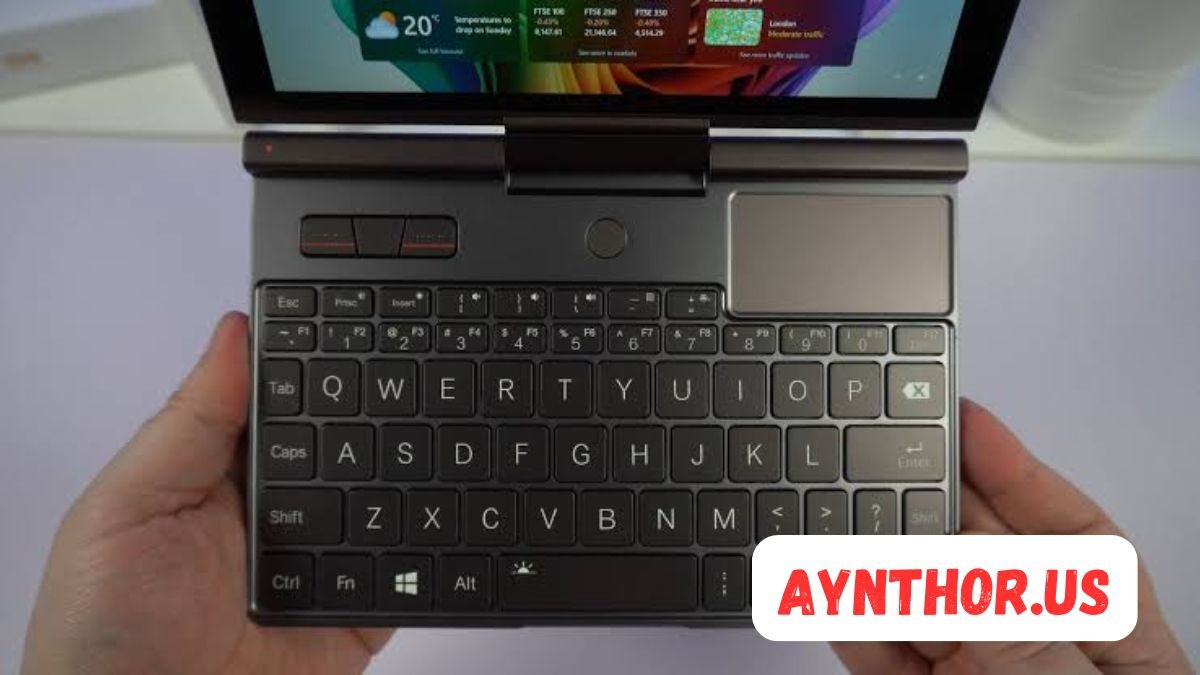
GPD Pocket 3: The Ultimate Guide to This Compact Windows Mini Laptop
Introduction
The GPD Pocket 3 has become one of the most talked-about mini laptops among professionals, students, travelers, and tech enthusiasts. While traditional laptops continue to become thinner and lighter, there is still a demand for devices that are even more portable without sacrificing performance. This is exactly where the GPD Pocket 3 stands out. It offers the functionality of a full Windows laptop in a compact body that is small enough to fit into many bags and even large jacket pockets.
People often assume that a smaller laptop means lower performance or limited usability. The GPD Pocket 3 proves that this assumption is no longer true. It combines modern Intel processors, a responsive touchscreen, a durable chassis, and versatile connectivity into one compact package. Whether you need a portable work machine, a travel companion, or a device for technical tasks, this mini laptop provides impressive flexibility.
This guide explores every important aspect of the GPD Pocket 3. From its premium design to its practical keyboard, display, and portability, you will learn why this device has gained such a loyal following. By the end of this article, you will have a complete understanding of what makes the GPD Pocket 3 special and whether it is the right choice for your needs.
What Is the GPD Pocket 3?
The GPD Pocket 3 is a compact Windows laptop developed by GPD, a company known for creating powerful handheld computers and mini PCs. Unlike many small laptops that are designed mainly for casual browsing, this device is built for productivity, professional work, and everyday computing. It runs a full version of Windows, allowing users to install desktop software without limitations.
One of the biggest strengths of the GPD Pocket 3 is its balance between size and capability. It offers a complete laptop experience with a touchscreen display, physical keyboard, precision touchpad, USB ports, and expandable connectivity. This makes it much more practical than a tablet for users who need traditional desktop applications.
Another unique feature is its modular design. Certain versions of the GPD Pocket 3 allow users to replace specific modules, adding functions such as serial communication ports for industrial applications. This flexibility makes the laptop appealing not only to everyday users but also to engineers, IT professionals, and technicians who need specialized hardware.
Why the GPD Pocket 3 Has Become So Popular
The popularity of the GPD Pocket 3 has grown steadily because it serves a niche that many major laptop manufacturers have ignored. Most brands focus on larger ultrabooks, gaming laptops, or tablets, while GPD has concentrated on delivering desktop-level productivity in an ultra-portable package.
Frequent travelers appreciate carrying a lightweight computer without giving up the familiarity of Windows. Whether working in airports, trains, hotels, or coffee shops, users can complete professional tasks almost anywhere. The compact size makes transportation effortless compared to larger laptops.
Tech enthusiasts also admire the innovation behind the device. Features such as the rotating touchscreen, high-quality build materials, expandable modules, and surprisingly capable hardware show that careful engineering went into its design. Instead of simply shrinking a laptop, GPD created a product that feels purpose-built for mobile productivity.
Premium Design and Build Quality
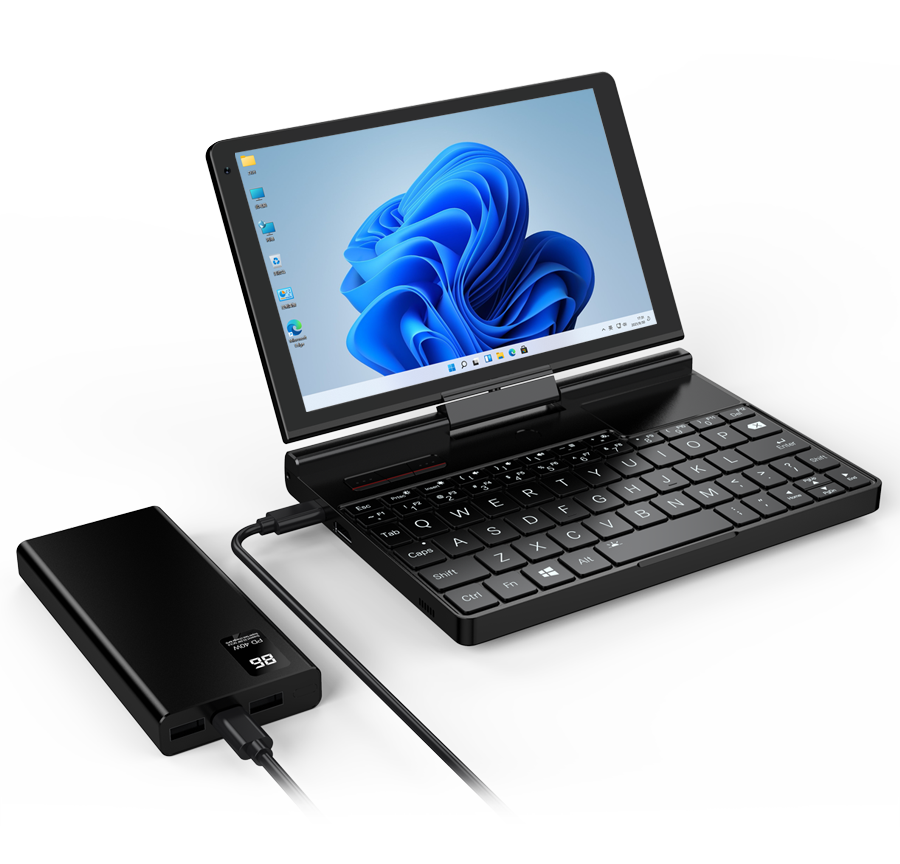
The first thing many people notice about the GPD Pocket 3 is its premium appearance. Despite its compact dimensions, it feels solid and durable in the hand. The chassis is carefully constructed using quality materials that give the device a professional look rather than the appearance of a budget mini laptop.
Attention to detail is visible throughout the design. The hinges feel sturdy, the keyboard area remains stable during typing, and the ports are well positioned for convenient use. Everything about the construction suggests that the laptop is intended for long-term daily use rather than occasional travel.
Its minimalist styling also appeals to business users. The clean finish, understated branding, and compact profile make it suitable for offices, meetings, classrooms, and professional environments. Instead of looking like a novelty gadget, the GPD Pocket 3 resembles a refined productivity machine.
Compact Size Without Compromising Functionality
One of the greatest achievements of the GPD Pocket 3 is fitting so much functionality into such a small body. Every component has been arranged efficiently to maximize usability while keeping the laptop incredibly portable.
The small footprint allows users to work comfortably in locations where larger laptops become difficult to use. Airplane tray tables, crowded cafés, shared workspaces, and public transportation become much more practical environments for working.
Although the laptop is compact, it still includes a comfortable keyboard, responsive touchpad, quality display, and numerous connectivity options. This thoughtful design means users rarely feel like they are making significant compromises simply because they chose a smaller device.
Built for Daily Carry
Many laptops claim to be portable, but the GPD Pocket 3 genuinely encourages users to carry it everywhere. Its lightweight construction makes it easy to place inside backpacks, messenger bags, camera bags, or travel luggage without adding noticeable weight.
Students can carry it throughout an entire day without feeling burdened. Professionals who move between meetings can quickly pull it out whenever needed. Travelers also appreciate having a full Windows computer available without dedicating much luggage space.
Because it is easy to transport, users naturally become more productive. Instead of deciding whether a laptop is worth carrying, the GPD Pocket 3 becomes part of everyday essentials alongside a phone and charger.
Display Quality and Touchscreen Experience
The display is one of the strongest aspects of the GPD Pocket 3. It offers sharp visuals that make documents, websites, spreadsheets, presentations, and multimedia content appear clear and vibrant. Despite the relatively small screen size, the resolution ensures that text remains readable and images look detailed.
Brightness levels are suitable for indoor environments and remain usable in many outdoor settings. Colors appear balanced, making the display enjoyable not only for office work but also for watching videos, editing photos, and casual entertainment.
The touchscreen adds another layer of convenience. Instead of relying entirely on the touchpad, users can quickly tap menus, scroll through documents, zoom into images, or interact with applications naturally. This flexibility creates a smoother overall computing experience.
Rotating Screen Design
One feature that immediately distinguishes the GPD Pocket 3 from many competitors is its rotating display. The screen can rotate smoothly, allowing users to switch between traditional laptop mode and tablet mode within seconds.
This rotating mechanism is especially useful during presentations, meetings, and collaborative work. Users can simply rotate the display to share information without awkwardly repositioning the entire laptop.
Creative professionals also benefit from this flexibility. Whether sketching with a compatible stylus, reviewing designs, annotating documents, or taking handwritten notes, the rotating screen provides multiple working styles in one compact device.
Excellent Viewing Angles
The display maintains impressive clarity from various viewing positions. This is particularly important when multiple people need to look at the screen simultaneously during discussions or demonstrations.
Wide viewing angles reduce color distortion and brightness loss, ensuring content remains easy to read even when viewed from the side. This improves both professional presentations and casual media consumption.
The high-quality display panel also reduces eye strain during long work sessions. Combined with Windows display scaling, users can customize text size for comfortable reading without sacrificing visual quality.
Keyboard Experience
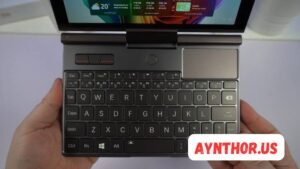
A compact laptop naturally raises concerns about keyboard comfort, but the GPD Pocket 3 performs better than many people expect. The keyboard has been carefully designed to maximize typing efficiency despite the limited available space.
The keys provide satisfying feedback, allowing users to type accurately after a relatively short adjustment period. While it differs from a full-sized desktop keyboard, the learning curve is manageable for most users.
Professionals who spend hours writing emails, reports, programming code, or taking notes often find themselves adapting surprisingly quickly. Once muscle memory develops, the keyboard becomes comfortable enough for regular daily use.
Typing Comfort
Typing on the GPD Pocket 3 feels more refined than many mini laptops. The keys are arranged logically, reducing accidental presses and improving typing accuracy.
Travel distance is respectable considering the compact chassis. This helps provide tactile feedback that many users prefer over extremely shallow keyboards found on some ultra-thin laptops.
Long writing sessions become much easier because the keyboard offers consistent responsiveness. Even users who initially doubt the smaller layout often report becoming comfortable after several days of use.
Shortcut Accessibility
Windows productivity relies heavily on keyboard shortcuts, and the GPD Pocket 3 supports this well. Frequently used keys remain accessible, allowing users to navigate efficiently through applications.
Copying, pasting, multitasking, opening system menus, and switching between windows can all be performed quickly using familiar keyboard shortcuts. This makes transitioning from a larger laptop relatively seamless.
For programmers, writers, office workers, and IT professionals, maintaining shortcut functionality is essential. The GPD Pocket 3 successfully preserves this important aspect of productivity.
Touchpad Performance
A quality touchpad is essential for any portable laptop, and the GPD Pocket 3 includes a responsive one that performs reliably during everyday use. Cursor movement feels smooth, and gesture support enhances navigation throughout Windows.
Scrolling through web pages, zooming into documents, and switching between applications all feel natural. Precision tracking allows users to complete detailed work without constantly reaching for an external mouse.
The touchpad placement also helps reduce accidental touches while typing. Even during extended writing sessions, palm rejection performs well enough to avoid unnecessary interruptions.
Gesture Support
Modern Windows gestures improve efficiency significantly, and the GPD Pocket 3 supports them effectively. Multi-finger gestures allow users to switch desktops, open task view, scroll smoothly, and navigate applications with ease.
These gestures reduce dependence on keyboard shortcuts for certain tasks, making the overall user experience feel more fluid. Users familiar with Windows laptops will quickly recognize these controls.
Gesture support also contributes to the premium feel of the device. Instead of feeling like a basic mini computer, the laptop offers the convenience expected from larger premium notebooks.
External Mouse Compatibility
Although the built-in touchpad works well, the GPD Pocket 3 also pairs easily with wireless and wired mice. This flexibility benefits users who spend long hours editing documents, programming, or performing detailed design work.
Bluetooth mice provide a clutter-free workspace, while USB-connected devices offer dependable performance without requiring battery charging.
Having both options means users can enjoy portability while traveling and still create a comfortable desktop setup whenever they reach their office or home workspace.
Performance and Hardware
The GPD Pocket 3 is much more than a compact laptop with an attractive design. Its internal hardware is what truly sets it apart from many other mini computers. Even though it is small enough to carry almost anywhere, it includes modern components that allow it to handle demanding daily workloads. This combination of portability and capability makes it a reliable choice for professionals and enthusiasts alike.
Depending on the configuration, the GPD Pocket 3 comes with Intel processors that are designed to balance performance and power efficiency. These processors deliver enough power for office work, web browsing, programming, multimedia editing, remote desktop sessions, and many professional applications. Users do not have to compromise on functionality simply because they prefer a smaller device.
Another advantage is that the system remains responsive even when multiple applications are running. Switching between browser tabs, editing documents, attending online meetings, and working with spreadsheets happens smoothly. For most everyday tasks, the laptop feels quick and dependable, giving users confidence that it can keep up with busy workdays.
Processor Performance
The processor is the heart of any computer, and the GPD Pocket 3 benefits from modern Intel architecture that focuses on efficiency while maintaining solid performance. Everyday tasks open quickly, applications launch without long delays, and multitasking feels natural.
Professionals who use productivity software will appreciate the consistent speed. Programs such as Microsoft Office, development tools, remote management software, and communication platforms perform well without making the system feel sluggish. This makes the device suitable for business travel, technical support, and mobile office work.
The processor also manages heat effectively during normal workloads. While intensive tasks naturally increase system temperatures, the laptop is designed to maintain stable performance without excessive slowdowns. This reliability is important for users who depend on the computer throughout the day.
Memory for Smooth Multitasking
Memory plays a major role in how efficiently a laptop handles multiple applications. The GPD Pocket 3 includes enough RAM to support demanding multitasking, allowing users to keep several browser tabs, office documents, communication apps, and background services running simultaneously.
This generous memory capacity reduces waiting times when switching between programs. Instead of constantly closing applications to free resources, users can maintain a productive workflow throughout the day.
Developers, content writers, researchers, and IT professionals especially benefit from this capability. Running virtual terminals, browsers, documentation, and development software together becomes much more comfortable than on lower-powered mini laptops.
Fast Storage Improves Everyday Use
The solid-state storage inside the GPD Pocket 3 significantly improves the overall user experience. System startup is fast, applications load quickly, and file transfers happen efficiently. Compared to traditional hard drives, solid-state storage creates a much smoother computing experience.
Opening large documents, accessing project files, and copying multimedia content takes less time. This helps users remain productive without unnecessary interruptions caused by slow storage performance.
Fast storage also contributes to overall system responsiveness. Windows updates, software installations, and system maintenance complete more efficiently, making the laptop pleasant to use over the long term.
Productivity for Work and Business
The GPD Pocket 3 is designed with productivity in mind. Rather than focusing solely on entertainment, it provides an environment where professionals can complete meaningful work from almost any location. Its combination of Windows compatibility, comfortable keyboard, touchscreen, and reliable performance makes it an excellent mobile workstation.
Office workers can easily create reports, prepare presentations, manage spreadsheets, and communicate with colleagues while traveling. The device supports the same desktop applications found on larger computers, allowing users to maintain familiar workflows.
Freelancers and remote workers also appreciate its portability. Instead of searching for a large workspace, they can comfortably work from cafés, airports, hotels, libraries, or shared offices. This flexibility makes the laptop a valuable companion for modern professionals.
Excellent for Business Travel
Frequent travelers need equipment that is both reliable and easy to carry. The GPD Pocket 3 meets these expectations by combining lightweight construction with practical computing power. Packing it into carry-on luggage or backpacks requires very little space.
Working during flights, train rides, or long commutes becomes much easier because the laptop fits comfortably on smaller surfaces. This convenience helps professionals remain productive even when traveling between meetings.
Battery efficiency also supports business use by allowing users to work for extended periods without constantly searching for power outlets. Combined with fast charging capabilities, the laptop adapts well to busy schedules.
Comfortable for Everyday Office Tasks
Routine office work is where the GPD Pocket 3 performs exceptionally well. Word processing, spreadsheets, presentations, email management, and cloud-based collaboration all run smoothly. Employees can complete daily responsibilities without feeling limited by the laptop’s compact size.
Video conferencing applications also work well, allowing users to participate in remote meetings while maintaining access to notes and documents. This supports hybrid work environments where flexibility is increasingly important.
The combination of reliable performance and excellent portability encourages users to work efficiently wherever opportunities arise, making it a practical business investment.
Software Compatibility
One of the greatest strengths of the GPD Pocket 3 is that it runs the full Windows operating system. Unlike tablets or mobile devices that rely on simplified applications, this laptop supports traditional desktop software without restrictions.
Users can install professional applications, development tools, productivity suites, creative software, remote desktop utilities, and many specialized business programs. This broad compatibility greatly expands what the device can accomplish.
Because it behaves like a standard Windows computer, there is almost no learning curve. Users can continue using familiar software and workflows without changing how they work.
Microsoft Office Performance
Applications such as Word, Excel, PowerPoint, and Outlook perform smoothly on the GPD Pocket 3. Creating reports, editing documents, analyzing spreadsheets, and preparing presentations feel similar to working on larger business laptops.
The touchscreen adds another layer of convenience by allowing users to scroll through lengthy documents, zoom into spreadsheets, or navigate presentations using touch gestures.
Students and professionals who spend significant time using Microsoft Office will find the experience reliable enough for daily productivity.
Programming and Development
Developers often need portable hardware that can support coding, testing, and debugging while away from the office. The GPD Pocket 3 is surprisingly capable in this role.
Popular development environments, code editors, command-line tools, and version control software work effectively. Whether writing scripts, maintaining websites, or managing servers remotely, users have access to a complete Windows development environment.
Its portability is especially valuable for system administrators and field engineers who frequently travel between client locations while requiring full desktop software.
Gaming Performance
Although the GPD Pocket 3 is not marketed primarily as a gaming laptop, it can still provide enjoyable gaming experiences under the right circumstances. Its integrated graphics are capable of handling many lightweight, classic, and independent games.
Older titles often run very well, while many modern games remain playable when graphics settings are adjusted appropriately. Casual gaming sessions during travel become entirely possible without carrying a larger gaming laptop.
For users who occasionally play games after work or while traveling, the GPD Pocket 3 offers more entertainment potential than many people expect.
Casual Gaming Experience
Indie games, puzzle games, strategy titles, classic role-playing games, and simulation games perform comfortably on the device. These genres generally place less demand on graphics hardware while still providing enjoyable experiences.
Because of the compact screen, many games appear sharp and detailed. Combined with responsive controls, casual gaming becomes surprisingly immersive despite the laptop’s small size.
Users who primarily enjoy less demanding titles will likely find the gaming performance completely satisfactory.
Cloud Gaming Support
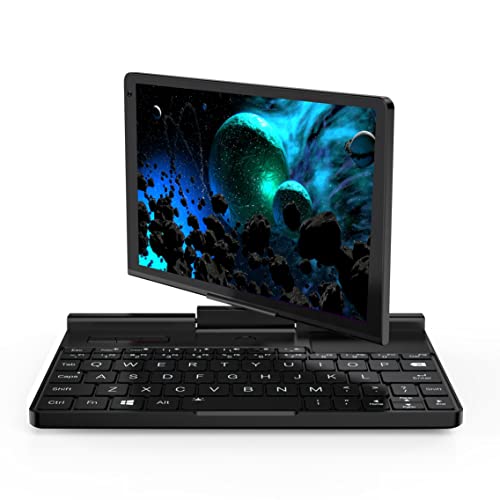
Cloud gaming services continue to grow in popularity, and the GPD Pocket 3 works well with these platforms. Since processing happens on remote servers, users can enjoy demanding games without relying entirely on local graphics performance.
A stable internet connection allows high-quality game streaming while maintaining the portability advantages of the laptop. This opens access to a much larger gaming library than local hardware alone could provide.
For travelers with reliable internet access, cloud gaming significantly expands the entertainment possibilities of the device.
Battery Life
Battery performance is an important consideration for any portable computer, and the GPD Pocket 3 delivers respectable endurance for everyday use. Real-world battery life naturally varies depending on workload, brightness settings, and connected peripherals, but the laptop generally provides enough runtime for productive work sessions.
Users performing office tasks, browsing the web, reading documents, or participating in video meetings can often complete several hours of work before needing to recharge. This makes the device practical for travel and remote work.
Power management features built into Windows further improve efficiency by allowing users to balance performance with battery conservation according to their needs.
Charging Convenience
The GPD Pocket 3 supports modern charging methods that simplify travel. Instead of carrying bulky proprietary chargers, users can often rely on compact USB-C charging solutions that work with multiple devices.
Fast charging helps minimize downtime by restoring battery capacity quickly during breaks or between meetings. This convenience becomes especially valuable for professionals with busy schedules.
Travelers also appreciate carrying a single charger for laptops, phones, tablets, and other compatible accessories, reducing cable clutter.
Battery Optimization Tips
Users can extend battery life by lowering screen brightness, disabling unnecessary background applications, and selecting balanced power settings. These simple adjustments often produce noticeable improvements during travel.
Keeping Windows updated also helps because newer updates frequently include power management improvements and driver optimizations.
Managing wireless connections when not needed can further conserve battery, allowing longer work sessions away from power outlets.
Connectivity and Ports
Many compact laptops sacrifice connectivity to achieve smaller dimensions, but the GPD Pocket 3 includes an impressive collection of ports that support both modern and legacy devices.
Users can connect external monitors, storage devices, keyboards, mice, networking accessories, and numerous professional tools without depending entirely on adapters. This flexibility makes the laptop suitable for many different working environments.
Having multiple built-in ports also improves convenience because users spend less time searching for dongles or external hubs during everyday work.
USB and Expansion Options
High-speed USB ports allow quick connections to external drives, flash storage, cameras, and numerous accessories. File transfers remain fast, helping users move large amounts of data efficiently.
The modular expansion system available on certain models is another standout feature. Specialized modules support professional tasks that many standard laptops cannot perform without external hardware.
This expandability demonstrates that the GPD Pocket 3 is designed not only for consumers but also for technical professionals working in specialized industries.
Wireless Connectivity
Reliable wireless connectivity is essential in today’s mobile work environment. The GPD Pocket 3 includes modern wireless technologies that support stable internet access and dependable Bluetooth connections.
Wireless keyboards, headphones, printers, mice, and other accessories pair easily, creating a flexible working environment whether users are at home, in the office, or traveling.
Stable wireless networking also supports video conferencing, cloud storage, remote desktop access, and online collaboration without unnecessary interruptions.
Modular Expansion Makes the GPD Pocket 3 Stand Out
One of the biggest reasons the GPD Pocket 3 receives so much praise is its modular expansion system. Most laptops come with a fixed set of ports that cannot be changed, but GPD took a different approach. Certain versions of the device allow users to replace expansion modules depending on their professional requirements.
This feature is especially valuable for engineers, network administrators, industrial technicians, and IT professionals who regularly work with specialized equipment. Instead of carrying multiple adapters, they can simply install the module that matches the task at hand.
The modular concept also helps future-proof the laptop. As workflows evolve, users have the flexibility to change hardware capabilities without replacing the entire computer. That is a practical advantage that many competing mini laptops simply cannot match.
A Valuable Tool for IT Professionals
Network engineers often need direct access to enterprise hardware, switches, routers, and industrial equipment. The modular expansion system allows the GPD Pocket 3 to support these specialized tasks while remaining extremely portable.
Field technicians can travel with one compact computer instead of carrying several devices. This reduces luggage weight while improving overall efficiency during on-site maintenance and troubleshooting.
For professionals who spend much of their time outside the office, this flexibility can save both time and money while simplifying their workflow.
Adapting to Different Work Environments
Every profession has different hardware requirements. Some users need additional communication ports, while others simply want maximum portability. The modular design gives the GPD Pocket 3 the flexibility to adapt to changing situations.
Students may use the laptop for note-taking during the day and media consumption in the evening. IT professionals can switch to specialized modules when visiting client locations.
This adaptability makes the laptop much more versatile than traditional compact notebooks.
Everyday User Experience
After spending several days with the GPD Pocket 3, many users report that the device becomes surprisingly natural to use. The small size initially feels different from a traditional laptop, but the adjustment period is relatively short.
Opening applications, browsing the internet, writing documents, and managing files quickly become routine tasks. The combination of responsive hardware and Windows familiarity allows users to focus on their work rather than learning a new operating system.
Many owners find themselves carrying the laptop far more often than expected because of its convenience. Instead of debating whether a larger laptop is worth bringing, they simply slip the GPD Pocket 3 into their bag and go.
Comfortable During Travel
Long flights, train rides, and waiting areas become productive workspaces with the GPD Pocket 3. Because it occupies very little space, users can comfortably work where larger laptops feel awkward.
The lightweight design also reduces fatigue during travel. Carrying the device throughout an entire day is much easier than transporting heavier notebooks.
For digital nomads and frequent business travelers, this convenience becomes one of the laptop’s greatest strengths.
Reliable for Daily Productivity
Consistency is important in any work device, and the GPD Pocket 3 performs reliably during everyday computing. It handles routine office tasks smoothly while remaining responsive even after hours of continuous use.
Writing reports, joining meetings, organizing files, and communicating with colleagues all feel effortless. Users spend more time working and less time waiting for applications to respond.
This dependable experience contributes significantly to the laptop’s positive reputation among professionals.
Who Should Buy the GPD Pocket 3?
The GPD Pocket 3 is not designed for everyone. Instead, it targets users who value portability without giving up the capabilities of a full Windows computer.
Professionals who travel frequently often benefit the most. Having a complete desktop operating system in such a compact package allows them to remain productive almost anywhere.
Students, freelancers, consultants, programmers, and remote workers also appreciate the combination of mobility and performance. The device offers enough power for serious work while remaining incredibly easy to carry.
Ideal for Students
Students frequently move between classrooms, libraries, and study groups. Carrying a lightweight computer throughout the day reduces physical strain while providing access to research materials, assignments, and communication platforms.
The touchscreen is useful for reading notes, reviewing presentations, and navigating educational resources. Combined with long battery life, the laptop supports productive study sessions throughout the day.
Because it runs Windows, students can install the same software used in schools and universities without compatibility concerns.
Excellent for Developers
Developers need reliable hardware that supports programming environments, terminal applications, browsers, and documentation simultaneously. The GPD Pocket 3 handles these workloads surprisingly well.
Its portability allows developers to continue working while traveling, attending conferences, or meeting clients. Remote server management also becomes more convenient thanks to Windows compatibility.
For software professionals who prioritize mobility, the laptop provides an impressive balance between size and functionality.
Great for Business Professionals
Business users benefit from the laptop’s professional appearance, reliable performance, and practical portability. Whether attending meetings, preparing presentations, or working remotely, the device supports modern business workflows effectively.
Cloud applications, productivity software, and communication tools all operate smoothly. Combined with excellent portability, this makes the GPD Pocket 3 a dependable companion for everyday professional use.
Its premium build quality also leaves a positive impression during meetings and client visits.
Advantages of the GPD Pocket 3
The biggest advantage of the GPD Pocket 3 is its remarkable balance between portability and productivity. Very few laptops offer a complete Windows experience in such a compact form while maintaining excellent build quality.
Its rotating touchscreen adds flexibility that many traditional laptops lack. Users can switch between laptop mode and tablet mode depending on the task, making the device suitable for note-taking, presentations, and creative work.
Performance is another strong point. Despite its small dimensions, the hardware handles everyday computing with confidence, allowing users to complete demanding workloads without major compromises.
The modular expansion system further distinguishes the laptop from competitors by supporting specialized professional tasks that many compact laptops simply cannot perform.
Finally, the premium construction gives users confidence that the device can withstand regular travel and daily use for years.
Things to Consider Before Buying
Although the GPD Pocket 3 has many strengths, it is important to understand its limitations before making a purchase.
The smaller keyboard requires a short adjustment period, particularly for users who are accustomed to full-sized desktop keyboards. Most people adapt quickly, but the experience initially feels different.
The compact display may also feel small for users who spend their entire day editing large spreadsheets or performing detailed graphic design. Fortunately, external monitor support provides an easy solution when working at a desk.
Because this is a premium niche product, pricing may be higher than some traditional laptops with similar hardware. Buyers should evaluate whether portability and specialized features justify the investment based on their own needs.
None of these considerations represent major flaws, but they are worth understanding before purchasing.
GPD Pocket 3 Compared With Traditional Laptops
Traditional laptops usually offer larger displays and full-sized keyboards, making them ideal for users who work primarily from one location. However, they also occupy significantly more space in backpacks and luggage.
The GPD Pocket 3 focuses on maximum mobility. It provides nearly all the functionality of a standard Windows laptop while dramatically reducing size and weight.
For users who spend much of their time traveling, visiting clients, or moving between workplaces, the smaller footprint often outweighs the advantages of a larger display.
The choice ultimately depends on individual priorities. Those who value portability above all else will likely appreciate the GPD Pocket 3 much more than a conventional notebook.
Tips for Getting the Most From the GPD Pocket 3
Taking time to customize Windows settings can significantly improve the overall experience. Adjusting display scaling, organizing shortcuts, and enabling preferred productivity features helps create a personalized workflow.
Using cloud storage services ensures files remain synchronized across multiple devices. This allows users to switch seamlessly between desktop computers and the GPD Pocket 3 whenever necessary.
A compact wireless mouse and foldable laptop stand can further improve comfort during extended work sessions. These accessories create a more ergonomic workspace while preserving portability.
Regular software updates help maintain security, improve battery efficiency, and ensure the system continues performing at its best.
Protective carrying cases are also recommended for users who travel frequently, helping preserve the premium finish of the laptop.
Is the GPD Pocket 3 Worth Buying?

The answer depends largely on your priorities. If your primary goal is maximum portability while maintaining access to a full Windows operating system, the GPD Pocket 3 is one of the strongest options available.
It combines premium build quality, dependable performance, thoughtful engineering, and practical flexibility into an incredibly compact package. Few devices manage to balance these qualities as effectively.
Professionals who travel regularly, students who carry a laptop every day, programmers, engineers, and remote workers will likely appreciate everything the device offers.
Users seeking a large multimedia laptop or a dedicated gaming system may find other options more suitable. However, for mobile productivity, the GPD Pocket 3 continues to stand out as one of the most impressive mini laptops on the market.
Final Thoughts
The GPD Pocket 3 successfully proves that a compact laptop does not have to sacrifice productivity or professional capabilities. It delivers a complete Windows experience inside a remarkably portable design while maintaining premium construction, responsive performance, and excellent versatility.
Its rotating touchscreen, comfortable keyboard, modular expansion options, and modern hardware make it far more than just a small laptop. It is a serious productivity tool designed for people who work from different locations and need dependable computing power wherever they go.
Although it requires a brief adjustment period because of its compact size, most users quickly become comfortable with the layout. Once that happens, the convenience of carrying such a capable computer almost anywhere becomes one of its greatest advantages.
For professionals, students, developers, business travelers, and technology enthusiasts, the GPD Pocket 3 represents an excellent combination of innovation, portability, and everyday practicality. If mobility is your highest priority without giving up the flexibility of Windows, the GPD Pocket 3 is a smart investment that continues to impress users around the world.
FAQs
What is the GPD Pocket 3?
It is a compact Windows mini laptop designed for productivity, travel, and professional use.
Is the GPD Pocket 3 good for programming?
Yes, it handles coding, development tools, and remote server management very well.
Can the GPD Pocket 3 run Windows applications?
Yes, it runs the full Windows operating system and supports standard desktop software.
Is the GPD Pocket 3 suitable for students?
Yes, its portability and performance make it an excellent choice for students.
Can the GPD Pocket 3 play games?
Yes, it supports casual games, older titles, and cloud gaming services.
Does the GPD Pocket 3 have a touchscreen?
Yes, it features a responsive touchscreen with a rotating display.
Is the keyboard comfortable for typing?
Yes, after a short adjustment period, most users find it comfortable for daily work.
Can I connect external monitors to the GPD Pocket 3?
Yes, it supports external displays for expanded productivity.
Who should buy the GPD Pocket 3?
It is ideal for travelers, professionals, developers, students, and remote workers.
Is the GPD Pocket 3 worth buying?
Yes, if portability and full Windows functionality are your priorities, it offers excellent value.
Also read: popupiano


Post Comment